Buying guide
Portable Audio Recorder Guide: 32-Bit Float, XLR and Timecode
When a portable audio recorder beats camera audio, what 32-bit float really fixes, and how the Zoom, Tascam, Deity and Sound Devices recorders compare on inputs and timecode.
Short answer A portable audio recorder gives you cleaner preamps, XLR inputs and a separate backup of your sound, which most cameras and phones cannot match. 32-bit float recording removes most of the risk of setting levels wrong, but it cannot fix a microphone that is overloaded or badly placed. Pick by how many microphones you need to record, whether you need XLR inputs and phantom power, and whether your shoots need timecode.
A portable audio recorder can be a pocket stereo recorder for interviews and notes, a two-input box that sits under a camera, or a multitrack field recorder for film sets. This guide explains when a recorder beats camera audio, what 32-bit float actually does, and how the recorders in our portable digital recorders range compare.
When a recorder beats camera audio
Recording straight into a camera works for reference audio, but a dedicated recorder helps in several ways:
- Quieter preamps. Many hybrid stills cameras have noisy microphone inputs and limited level control. A recorder usually gives a cleaner noise floor, especially with low-output microphones.
- XLR inputs and phantom power. Professional shotgun and lavalier microphones often use locking, balanced XLR connections and may need 48 V phantom power, which most cameras lack without an adapter.
- More channels. A multitrack recorder can capture a boom and two wireless lavaliers on separate tracks.
- Better placement. The recorder can sit near the subject while the camera stays wide.
- A backup. Recording on both the camera and a recorder means one card or cable problem does not cost you the take.
Syncing is simpler than it sounds. Most editing software can line up the recorder's audio with the camera's scratch track by matching waveforms, and a hand clap at the start gives a manual sync point. On longer or multi-camera shoots, timecode stamps every file against a shared clock.
32-bit float recorders explained
A conventional 24-bit recording has a fixed ceiling. Set the input level too high and a sudden shout clips; set it too low and you raise noise when you turn it up later. A 32-bit float recorder stores audio as floating-point numbers with far more headroom, so a take recorded too quiet or too loud can usually be brought back to a normal level in editing.
Many 32-bit float recorders pair this with dual analogue to digital converters, one set for quiet signals and one for loud, and combine the results. Zoom describes the F3, F6 and H6essential this way. The two ideas are related but not the same specification.
What 32-bit float does not do:
- It cannot undo distortion from an overloaded microphone, cable or analogue input.
- It does not lower microphone self-noise or background noise at the location.
- It does not replace good microphone placement.
- It makes larger files than 24-bit, and your editing software needs to read 32-bit float WAV files.
For weddings, documentaries, events and wildlife, where you cannot predict the next loud moment, a 32-bit float recorder takes away the most stressful part of recording alone.
XLR inputs, timecode and other features to check
Inputs
Count the microphones you need to record at once. Built-in stereo microphones suit music, ambience and interviews at close range. A 3.5 mm input takes a plug-in-power lavalier or camera microphone. XLR or combo inputs take professional shotgun, handheld and wireless receiver outputs, and phantom power runs condenser microphones. Browse shotgun microphones and lavalier microphones to pair with a recorder.
Timecode
Timecode matters when several cameras and recorders run all day. The Zoom F6 has a timecode input and output, the Deity PR-4 supports LTC, ATC and wireless timecode, and Sound Devices builds a timecode generator into the MixPre II series. Zoom also makes the TCA-1 timecode adapter for compatible recorders; check Zoom's compatibility notes for your model and firmware before you rely on it.
USB interface mode
Several recorders double as USB audio interfaces. Zoom lists the F6 as a 6-in, 4-out interface, and Sound Devices lists the MixPre-6 II as 8-in, 4-out. That makes one box useful for both location work and podcasting at a desk.
Power and media
Check what the recorder runs on before a long day. Zoom lists two AAA batteries for the H1essential, and quotes about nine hours from alkaline AA cells for the H4essential under its test conditions. Tascam's DR-05XP and DR-07XP take two AA batteries and can also run from USB power, and the DR-05XP accepts microSD cards up to 512 GB. The Sound Devices MixPre-3 II ships with a four-AA battery sled, with an optional eight-AA sled for longer shoots.
Portable audio recorders compared
| Recorder | Inputs | 32-bit float | Timecode | Suits |
|---|---|---|---|---|
| Zoom H1essential | Built-in stereo mics, 3.5 mm mic/line | Yes (records only in 32-bit float) | No | Notes, music practice, simple interviews |
| Tascam DR-05XP | Fixed built-in omni stereo mics | Yes | No | Music, ambience, lectures |
| Tascam DR-07XP | Adjustable built-in stereo mics, A/B or X/Y | Yes | No | Music where stereo width matters |
| Zoom F2 | One 3.5 mm lavalier input | Yes (mono) | No | A body-worn backup for one speaker |
| Zoom H4essential | Built-in stereo mics, 2 XLR/TRS combo | Yes | No | Two-person interviews, podcasts |
| Zoom H1 XLR | 2 XLR/TRS combo with phantom power | Yes | Not listed | Two microphones under a camera |
| Zoom F3 | 2 XLR | Yes, dual A/D | See Zoom's TCA-1 notes | Compact field recording, run-and-gun |
| Deity PR-4 | 2 XLR/TRS combo, 3.5 mm stereo | Yes, up to 192 kHz | Yes, LTC, ATC and wireless | Film sets needing timecode on a budget |
| Zoom H6essential | 4 XLR/TRS plus stereo capsule | Yes, dual A/D | See Zoom's TCA-1 notes | Multi-person interviews, events |
| Sound Devices MixPre-3 II | 3 XLR/TRS combo | Yes | Built-in generator | Production sound, documentary |
| Zoom F6 | 6 locking XLR | Yes, dual A/D | In and out | Multitrack film and TV sound |
Handheld recorders in this guide
-
 Zoom
ZoomZoom H1essential 2-Track 32-Bit Float Portable Audio Recorder
$172.95 incl. GST Ships in 2-3 weeksAdd to cart -
 Zoom
ZoomZoom H4essential 4-Track Portable Audio Recorder
$308.95 incl. GST Ships in 1-2 business daysAdd to cart -
 Zoom
ZoomZoom H6essential 6-Track 32-Bit Float Portable Audio Recorder
$463.95 incl. GST Ships in 1-2 business daysAdd to cart -
 Tascam
TASCAM DR-05XP 2-Channel 32-Bit Float Portable Audio Recorder
$230.95 incl. GST Ships in 1-2 business daysAdd to cart
Zoom F3 vs H1 XLR
Both take two XLR microphones and record 32-bit float, so both suit a shotgun plus a wireless receiver, or two lavaliers, under a camera. Zoom describes the F3's input design as dual A/D conversion and positions it as a compact field recorder. The H1 XLR is sold as a recorder for video, with combo inputs that also take line-level TRS sources and phantom power on both inputs. Compare the product pages for mounting, display and power options before choosing.
The Zoom H6essential and its capsules
The H6essential has four XLR/TRS inputs plus a detachable stereo capsule. The optional EXH-6e capsule adds two more XLR/TRS inputs, and the SSH-6e is a mid-side shotgun capsule for directional pickup. Zoom also includes voice guidance that reads out menus and settings, which helps users with low vision. Accessories are in the portable recorder accessories range.
Field recorders with XLR inputs
-
 Zoom
ZoomZoom F3 2-Input / 2-Track Portable Field Recorder
$463.95 incl. GST Ships in 1-2 business daysAdd to cart -
 Zoom
ZoomZoom H1 XLR Portable Audio Recorder for Video
$265.95 incl. GST Ships in 2-3 business daysAdd to cart -
 Deity Microphones
Deity PR-4 Portable 4-Input 32-Bit Float Field Recorder
$648.95 incl. GST Ships in 3-5 business daysAdd to cart -
 Sound Devices
Sound Devices MixPre-3 II 3-Channel / 5-Track Multitrack 32-Bit Field Recorder
$1,715.95 incl. GST Ships in 1-2 business daysAdd to cart
Which recorder suits which job
- Music, ambience and voice notes: H1essential, DR-05XP or DR-07XP. Built-in microphones, simple controls, 32-bit float.
- Field recorder for filmmaking with one or two microphones: Zoom F3 or H1 XLR, or the Deity PR-4 if you need timecode.
- Interviews and podcasts on location: H4essential for two guests, H6essential for up to four XLR sources, or six with the EXH-6e. For a studio setup, see our podcast setup at home guide.
- Production sound and multi-camera shoots: Sound Devices MixPre-3 II or Zoom F6 for timecode and more inputs. Pair with wireless kits from our wireless microphones comparison.
Recorder accessories mentioned
-
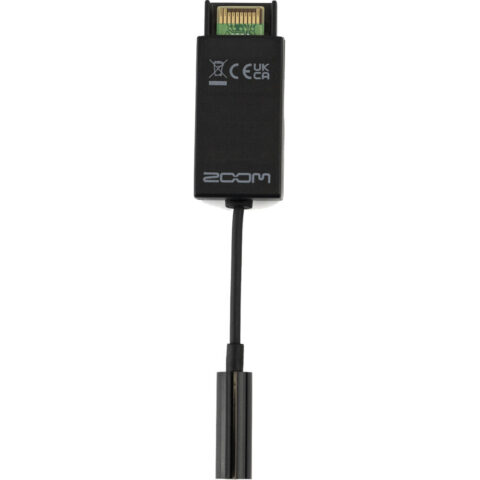 Zoom
ZoomZoom TCA-1 Timecode Adapter
$79.95 incl. GST On backorder, dispatch date to be confirmedAdd to cart -
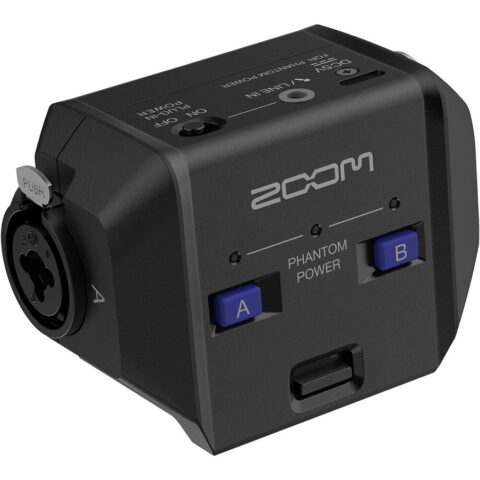 Zoom
ZoomZoom EXH-6e Dual XLR-1/4" TRS Input Capsule for H6essential Portable Recorder
$162.95 incl. GST Ships in 3-4 weeksAdd to cart -
 Zoom
ZoomZoom SSH-6e Stereo Mid-Side Shotgun Microphone for H6essential Portable Recorder
$162.95 incl. GST Ships in 1-2 business daysAdd to cart
You can also browse recorders by maker, including Zoom, Sound Devices and Deity.
Questions
Is a 32-bit float recorder worth it?
If you record alone and cannot ride levels, yes. 32-bit float lets you recover takes recorded too quietly or too loudly in editing, which removes the most common way to ruin a recording. It will not fix an overloaded microphone, a noisy location or poor placement, and files are larger than 24-bit, so it complements good technique rather than replacing it.
Do I need timecode for video?
For a single camera and short clips, usually not. Editing software can sync audio to the camera's scratch track by waveform, and a clap at the start helps. Timecode earns its place on multi-camera shoots, long takes and jobs with several recorders, where it keeps every file aligned to one clock without manual matching.
What is the difference between the H4essential and H6essential?
The H4essential has built-in stereo microphones and two XLR/TRS combo inputs, so it records up to four tracks. The H6essential has four XLR/TRS inputs plus a detachable stereo capsule, and the optional EXH-6e capsule adds two more inputs. Choose the H6essential if you need more than two external microphones.
Can a portable recorder work as a USB microphone or interface?
Several can. Zoom lists the F6 as a 6-in, 4-out USB interface and Sound Devices lists the MixPre-6 II as 8-in, 4-out. Tascam describes USB audio interface use for the DR-05XP and DR-07XP. Check the manual for your model, since channel counts and supported sample rates vary by mode.
Sources
Specifications and background were checked against these pages when the guide was last updated. Always confirm compatibility on the product page before ordering.
- zoomcorp.com/en/us/handheld-recorders/handheld-recorders/h6essential
- zoomcorp.com/en/gb/handheld-recorders/handheld-recorders/h4essential
- zoomcorp.com/en/gb/handheld-recorders/handheld-recorders/h1-xlr
- zoomcorp.com/manuals/h1essential-en
- zoomcorp.com/en/us/field-recorders/field-recorders/f6
- zoomcorp.com/en/us/accessories/adaptors-cables-and-extensions/tca-1
- cf.tascam.com/wp-content/uploads/downloads/catalogs/tascam/english/d7465_catalog_dr-05xp_dr-07xp_en.pdf
- help.deitymic.com/en/pr-4/system-and-specifications
- sounddevices.com/product/mixpre-3-ii
- sounddevices.com/mixpre-6-ii-specifications