Buying guide
Micro HDMI Cable for Camera Rigs, Plus SDI and Clamps
Which HDMI plug your camera uses, what cable bandwidth ratings and SDI grades mean, when to choose right-angle, ultra-thin or coiled cables, and how a cable clamp protects the camera's port.
Short answer First check your camera's port: a micro HDMI cable for camera bodies such as the Sony a6700, a7C II and ZV-E10 runs from Type D at the camera to full-size Type A at the monitor, while the a7 IV, a7S III, a7R V, FX3 and FX30 take full-size HDMI at both ends. Keep rig cables short and thin, clamp them at the camera, and use SDI with a 12G-rated cable when you need locking connectors or long runs.
A cable costs little next to a monitor or recorder, yet it is the part most likely to cause a dropout or a broken port. This guide covers connector types, bandwidth ratings, SDI grades, right-angle and ultra-thin cables, and cable clamps. You can browse every lead we carry in our video cables range.
HDMI connectors: micro, mini and full-size
HDMI comes in three plug sizes that matter on camera rigs:
- Type A (full-size). The standard plug on monitors, recorders, TVs and larger cameras.
- Type C (mini HDMI). A smaller plug used on some compact cameras and devices.
- Type D (micro HDMI). The smallest plug, common on compact mirrorless bodies.
Plug size does not set picture quality. A micro HDMI port can carry the same signal as a full-size one if the camera outputs it. The difference is physical: a micro plug is small, has little leverage and is easy to strain.
Sony's specification pages give these ports for popular bodies:
| Sony camera | HDMI port | Cable you need |
|---|---|---|
| a7 IV, a7S III, a7R V | Type A (full-size) | HDMI A to A |
| FX3, FX30 | Type A (full-size) | HDMI A to A |
| a7C II, a6700, ZV-E10 | Type D (micro) | Micro HDMI D to full-size A |
Always check the far end too. Most on-camera monitors, recorders and wireless transmitters use full-size HDMI, but some small devices use mini or micro ports. For other brands, the HDMI line in the camera's official specifications will say Type A, C or D.
Choosing a micro HDMI cable for camera rigs
For a micro HDMI camera, the cable is the whole connection, so choose it with more care than a TV lead.
- Length. On a cage, 30 to 55 cm is usually enough to reach a top-mounted monitor. Extra length becomes a loop that snags.
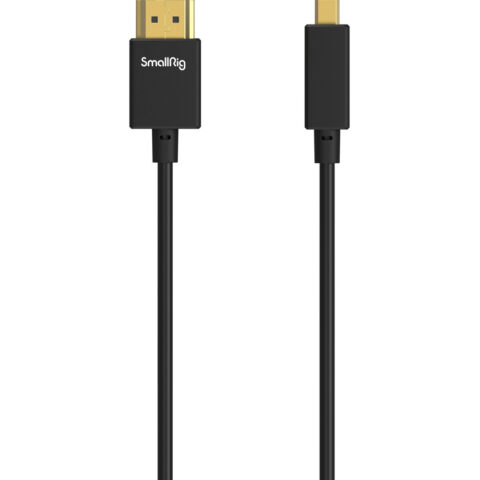
- Thickness. A thin, soft cable puts less side load on the tiny socket. SmallRig lists its Ultra-Slim 4K HDMI cables at 3.6 mm outer diameter, rated HDMI 2.0 up to 4K60, in micro D to full A versions (3042B at 35 cm, 3043B at 55 cm and 4795 at 100 cm).
- Plug angle. A right-angle micro plug keeps the cable close to the body, but it must point the right way for your camera and cage.
- A clamp. Clamp the plug or cable to the cage so a tug pulls on the cage, not on the socket.
Micro HDMI to full HDMI cables for cameras
-
 SmallRig
SmallRig 3042B Ultra-Slim 4K HDMI Data Cable (D to A, 35cm)
$18.95 incl. GST Ships in 1-2 business daysAdd to cart -
 SmallRig
SmallRig 3043B Micro-HDMI to HDMI Cable (D to A, 55cm)
$16.95 incl. GST Ships in 1-2 business daysAdd to cart -
 Kondor Blue
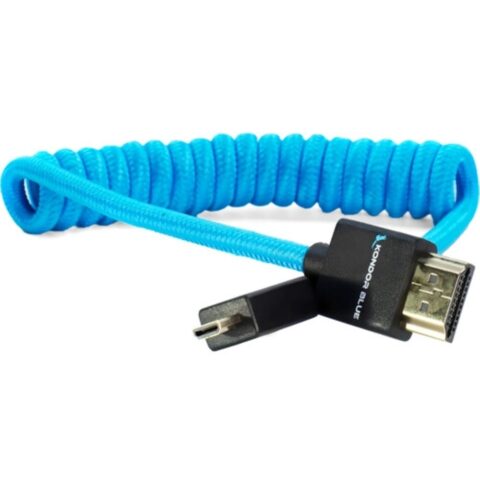
Kondor Blue Coiled Micro HDMI to Full HDMI (30 to 60cm)
$51.95 incl. GST Ships in 1-2 weeksAdd to cart -
 Kondor Blue
Kondor Blue Gerald Undone Right-Angle Micro-HDMI to HDMI Cable (Limited Purple, 30 to 60cm)
$55.95 incl. GST Ships in 4-6 weeksAdd to cart
HDMI bandwidth ratings
HDMI cables are certified by bandwidth, not by the "HDMI 2.1" style version numbers printed on many boxes:
| Certification | Bandwidth | Typical use |
|---|---|---|
| High Speed | 10.2 Gbps | 1080p and many 4K30 signals |
| Premium High Speed | 18 Gbps | 4K60 with HDR |
| Ultra High Speed | 48 Gbps | HDMI 2.1 formats such as 4K120 and 8K60 |
The HDMI Licensing Administrator notes that certified Premium High Speed and Ultra High Speed cables carry an authentication label. Micro and mini cables can be certified too. For most cameras sending 4K to a monitor or recorder, a cable rated for 18 Gbps or 4K60 is the practical target.
HDMI vs SDI on camera rigs
SDI (serial digital interface) runs over 75-ohm coaxial cable with twist-locking BNC connectors. Compared with HDMI, it has two big advantages on set: the plug locks, so it cannot be pulled out by accident, and it runs much further on suitable cable. HDMI is on almost every camera and monitor and suits short runs on the rig itself.
If your camera only has HDMI and you need a long run to a director's monitor or switcher, an HDMI to SDI converter at the camera is a common fix. Browse signal converters for HDMI to SDI options in 3G and 12G.
SDI grades and 12G SDI cable
SDI grades are named after their data rate. SMPTE defines each one:
| Grade | Nominal rate | SMPTE standard | Typical formats |
|---|---|---|---|
| SD-SDI | 270 Mb/s | ST 259 | Standard definition |
| HD-SDI (1.5G) | 1.485 Gb/s | ST 292-1 | 720p, 1080i |
| 3G-SDI | 2.97 Gb/s | ST 424 | 1080p50 and 1080p60 |
| 6G-SDI | 5.94 Gb/s | ST 2081-1 | UHD up to 30p |
| 12G-SDI | 11.88 Gb/s | ST 2082-1 | UHD up to 60p |
A cable rated for 12G works at every lower grade, but a cable made for 3G may fail at 12G. If you run UHD at 50p or 60p over a single link, buy a cable rated for 12G. SDI tends to fail suddenly, with sparkles or loss of picture, rather than gradually softening, so test the full cable path before a shoot. Reach depends on the cable: Canare states its L-5.5CUHD can carry 12G for 100 m or more, but thin rig cables are made for short jumps on the camera.
Right-angle, ultra-thin and coiled cables
Right-angle HDMI and BNC
A right-angle HDMI cable turns the cable 90 degrees at the plug, so it runs along the camera body instead of sticking out where a hand or cage bar can hit it. The catch is direction. A plug angled the wrong way can point the cable into a screen hinge or cage bar, so check the product photos against your camera's port. Right-angle BNC plugs do the same job for SDI on compact rigs.
Ultra-thin cables
Thin cables bend easily, so they fit through cage gaps and put less stiffness into a gimbal, where a stiff cable can upset balance. The trade-off is less protection from crushing and sharp edges, so route them gently and away from sharp metal.
Coiled cables
A coiled cable gives controlled slack. It suits monitors on arms that move between shots, and gimbals where the distance changes as the camera tilts. Choose a coil that is only lightly stretched at full reach. A coil pulled tight keeps pulling on the camera port all day. Kondor Blue sells coiled HDMI cables that stretch from about 30 to 60 cm in micro, mini and full-size versions.
Full HDMI and SDI cables for rigs
-
 SmallRig
SmallRig 2956B Ultra-Slim HDMI Cable (35cm)
$15.95 incl. GST Ships in 1-2 business daysAdd to cart -
 Kondor Blue
Kondor Blue Coiled Right-Angle High-Speed HDMI Cable, Black 30-60cm (12-24")
$51.95 incl. GST Ships in 1-2 business daysAdd to cart -
 Kondor Blue
Kondor Blue Ultra-Thin 3G-SDI Right-Angle BNC Cable (30cm)
$41.95 incl. GST Ships in 1-2 business daysAdd to cart -
 ZILR
ZILRZILR SDI 12G BNC Cable (45cm)
$35.95 incl. GST Ships in 1-2 weeksAdd to cart
HDMI cable clamp: protecting the camera port
Micro HDMI sockets are often mounted directly on the camera's circuit board. A cable that is yanked or twisted passes that force into the socket, which can cause intermittent signal loss or a failed port. An HDMI cable clamp moves that load onto the cage, so the plug only carries the signal.
- Camera-specific clamps bolt to a matching cage, such as the SmallRig HDMI clamp for its a7S III cage or the SmallRig 4829 clamp for FX3 and FX30 HawkLock cages.
- Universal clamps, such as the Tilta universal cable clamp pair or the SmallRig camera cable clamp 4-pack, grip the cable body and fix to a cage or rod.
- Locking cables, such as the Atomos 4K60 locking full HDMI to micro-HDMI cable, use a locking plug that resists being pulled out.
Many cage kits include an HDMI clamp, so check before buying one separately. Our Sony camera cage guide notes which kits include one, and do you need a camera cage explains when a cage is worth it just for cable control. After fitting a clamp on a gimbal, run the gimbal through its full range and make sure the cable never goes tight.
For monitor and recorder choices, see Atomos Ninja vs Shinobi. For more cables, browse HDMI cables, BNC and SDI cables, or the Kondor Blue and SmallRig ranges.
Questions
Does my Sony a7 IV need a micro HDMI cable?
No. Sony lists a full-size HDMI Type A port on the a7 IV, a7S III and a7R V, as well as the FX3 and FX30, so a standard HDMI A to A cable fits. The a6700, a7C II and ZV-E10 have micro HDMI Type D ports and need a micro to full-size cable.
Is an expensive HDMI cable better for 4K?
Not by price alone. What matters is that the cable is rated for the signal, which for 4K60 means 18 Gbps or a 4K60 rating from the maker, and that it is short, flexible and secured at the camera. On a rig, a thin cable with a clamp protects the port better than a thick premium lead.
Can I use a 3G-SDI cable for 4K?
It depends on the signal. 4K at 50p or 60p over a single link uses 12G-SDI, and a cable rated only for 3G may drop out at that rate. For short rig jumps it sometimes works, but a cable rated for 12G removes the doubt. HD signals up to 1080p60 are within 3G-SDI.
Right-angle or straight HDMI plug?
A right-angle plug keeps the cable tight to the camera and away from cage bars and hands, which suits cages and gimbals. It has to point the right direction for your port, so compare the product photos with your camera. A straight plug is simpler and fine when the camera has clear space beside the port.
Sources
Specifications and background were checked against these pages when the guide was last updated. Always confirm compatibility on the product page before ordering.
- hdmi.org/resource/index
- hdmi.org/spec/premiumcable
- sony.com.au/electronics/support/e-mount-body-ilce-7-series/ilce-7sm3/specifications
- sony.com.au/electronics/support/e-mount-body-ilce-6000-series/ilce-6700/specifications
- sony.com/electronics/support/camcorders-and-video-cameras-interchangeable-lens-camcorders/ilme-fx30/specifications
- smallrig.com/smallrig-ultra-slim-4k-hdmi-cable-35cm-2956b.html
- smallrig.com/Ultra-Slim-4K-HDMI-Data-Cable-D-to-A-35cm-3042B.html
- pub.smpte.org/doc/ov2082-0/20160715-pub/ov2082-0-2016.pdf
- canare.co.jp/en/products/cables/index.php?tid=4_010_uc
- canare.co.jp/en/products/cables/index.php?tid=4_010_sc