Buying guide
USB vs XLR microphone: which should you buy?
How USB and XLR microphones differ in signal path, sound quality ceiling and upgrade path, where hybrid mics fit, and which suits Zoom calls, streaming, podcasts with guests and music.
Short answer In the USB vs XLR microphone choice, a USB mic has its preamp and converter built in and plugs straight into a computer, while an XLR mic needs an audio interface or mixer. USB is simpler and cheaper for one person at one computer. XLR costs more up front but lets you record several people, upgrade parts separately and use higher-gain preamps, and hybrid mics with both outputs let you start on USB and move to XLR later.
Both types can sound excellent. The real differences are what sits between the capsule and your computer, how easily you can add more mics, and how far you can upgrade without starting again. This guide explains the signal path, the limits of each, and which suits Zoom calls, streaming, podcasts and music.
You can compare options across our microphones range as you read. Specifications come from RODE, Shure, Audio-Technica and Focusrite manuals and product pages.
How USB and XLR microphones work
USB microphone signal path
- The capsule turns sound into a small analogue signal.
- A built-in preamp raises that signal to a usable level.
- A built-in converter turns it into digital audio.
- The USB cable carries it to the computer, which sees the mic as an audio device.
XLR microphone signal path
- The capsule produces an analogue signal on the XLR cable.
- An audio interface or mixer provides the preamp and, for most condenser mics, 48 V phantom power.
- The interface converts the signal to digital and sends it to the computer over USB.
So an XLR setup has the same stages as a USB mic, just split across two boxes. That split is what gives XLR its flexibility: you choose the mic and the preamp separately, and you can replace either one. Passive dynamic mics such as the Shure SM7B do not need phantom power; most condensers do.
USB vs XLR microphone compared
| Factor | USB microphone | XLR microphone |
|---|---|---|
| What you need | Mic and a USB cable | Mic, XLR cable, audio interface or mixer |
| Setup | Plug in and select it in your app | Set gain on the interface, phantom power for condensers |
| Quality ceiling | Fixed by the built-in preamp and converter | Set by the mic and interface you choose, both upgradeable |
| More than one person | Possible, but awkward | Straightforward with a multi-input interface or mixer |
| Monitoring | Many have a zero-latency headphone output | Direct monitoring on most interfaces |
| Portability | One item to pack | More to carry |
| Suits | Zoom calls, solo streaming, voice notes | Podcasts with guests, music, growing studios |
For a single voice at a desk, a good USB microphone for PC or Mac is often all you need. The ceiling appears when you want a second person, a different mic or a more capable preamp, because the USB mic's electronics cannot be swapped.
USB microphones
-
 RODE
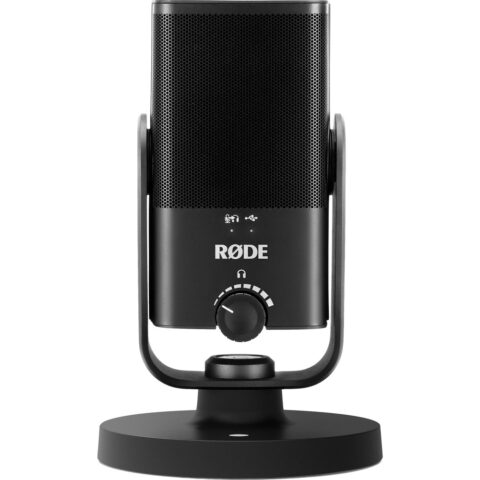
RODERode NT-USB Mini USB Microphone
$143.95 incl. GST Ships in 1-2 business daysAdd to cart -
 Audio Technica
Audio Technica AT2020USB-X Cardioid Condenser USB Microphone
$228.95 incl. GST Ships in 2-4 weeksAdd to cart -
 Sennheiser
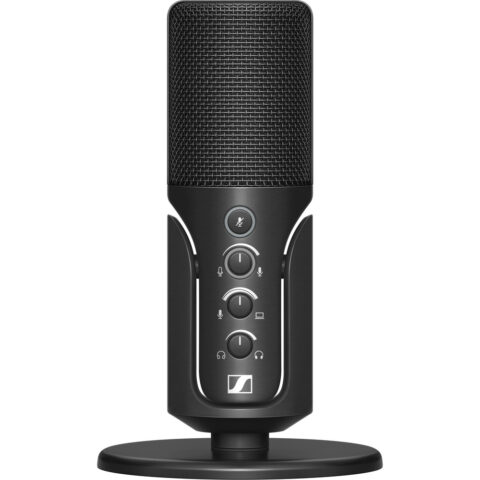
Sennheiser Profile USB Microphone
$162.95 incl. GST Ships in 1-2 business daysAdd to cart
Hybrid USB XLR microphones
A hybrid USB XLR microphone has both outputs. You can use it on USB today and plug it into an interface or mixer later, so it avoids the choice altogether for many buyers.
| Microphone | Type | USB resolution | Notes |
|---|---|---|---|
| RODE PodMic USB | Dynamic, cardioid | 24-bit/48 kHz | Built-in Revolution Preamp and APHEX processing, 3.5 mm headphone output |
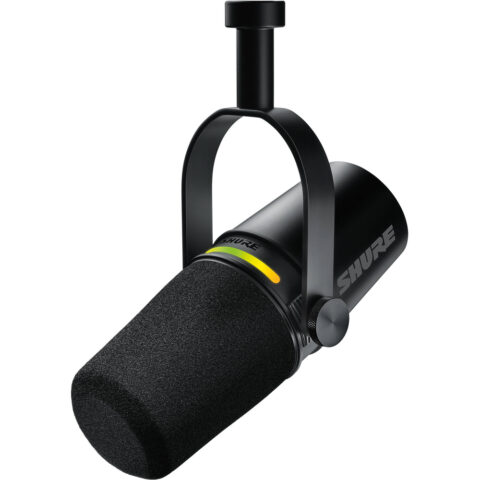
| Shure MV7 | Dynamic, cardioid | 16 or 24-bit, 44.1 or 48 kHz | XLR output is passive, so app processing applies to USB only; headphone output |
| Audio-Technica ATR2100x-USB | Dynamic, cardioid | Up to 24-bit/192 kHz | USB-C and XLR, headphone output with volume control |
| RODE NT1 5th Generation | Large-diaphragm condenser, cardioid | 32-bit float, up to 192 kHz | Needs phantom power when used over XLR |
The Shure MV7i takes a different approach. It is a USB mic with a built-in two-channel interface and a combo input, so you can plug a second XLR mic or an instrument into the microphone itself and record both over one USB cable.
One caution: most makers do not say whether the USB and XLR outputs can be used at the same time. Shure confirms the MV7's XLR audio is not affected by its software settings, but for the others, plan on using one output at a time.
Hybrid USB and XLR microphones
-
 RODE
RODERode PodMic USB Microphone
$275.95 incl. GST Ships in 1-2 business daysAdd to cart -
 Shure
ShureShure MV7+ Podcast Microphone (Black)
$453.95 incl. GST Ships in 4-6 weeksAdd to cart -
 Audio Technica
Audio-Technica Consumer ATR2100x-USB Cardioid Dynamic USB/XLR Microphone
$133.95 incl. GST Ships in 2-4 weeksAdd to cart -
 RODE
RODERode NT1 5th Gen Digital Condenser Microphone with XLR Output, USB & DSP (Black)
$332.95 incl. GST Ships in 1-2 business daysAdd to cart
Recording more than one person
This is where XLR pulls ahead. Each USB mic is a separate audio device with its own clock, and most recording apps expect one input device. Run two or three at once and you may get timing drift, clicks and complicated routing.
- Mac: you can combine several USB mics into one Aggregate Device in Audio MIDI Setup. RODE documents combining up to eight NT1 5th Generation mics this way.
- Windows: ASIO recording software usually expects one interface, so combining unrelated USB mics is less predictable.
- Either platform: XLR mics into one multi-input interface or podcast mixer share a single clock and appear as one device.
For a two-person podcast, two XLR or hybrid mics into a two-input interface or a podcast console is the dependable route. Our guide to a podcast setup at home covers one, two and four person setups, and our audio interfaces range lists the options.
Latency, monitoring and gain
Direct monitoring
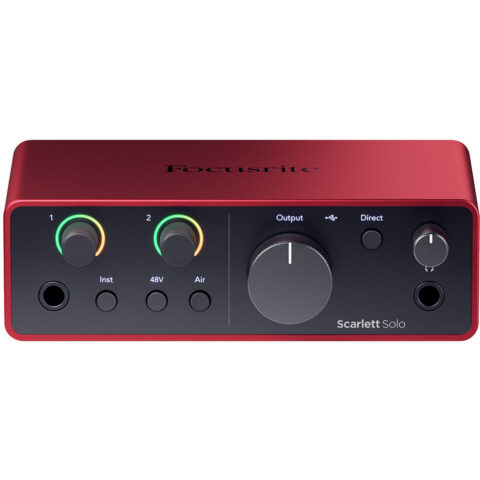
If you listen to yourself through the computer, you hear a slight delay, which is distracting when speaking or singing. Direct monitoring sends the mic straight to your headphones before it reaches the computer. RODE describes this as zero-latency monitoring and includes it on mics such as the PodMic USB and NT-USB range. Most audio interfaces offer the same, with the Focusrite Scarlett Solo 4th Gen using a Direct Monitor control.
Gain for dynamic mics
Some dynamic mics need a lot of gain. Shure recommends an interface with at least 60 dB of clean gain for the standard SM7B, or an inline booster. The Scarlett Solo 4th Gen provides up to 57 dB of gain. The Shure SM7dB solves this with a built-in preamp that adds +18 dB or +28 dB, while remaining an XLR mic. Our SM7B vs SM7dB vs PodMic guide covers this in more depth.
XLR setup essentials
-
 Focusrite
Focusrite Scarlett Solo USB-C Audio Interface (4th Generation)
$211.95 incl. GST Ships in 1-2 business daysAdd to cart -
 Shure
ShureShure SM7dB Dynamic Vocal Microphone
$832.95 incl. GST Ships in 4-6 weeksAdd to cart -
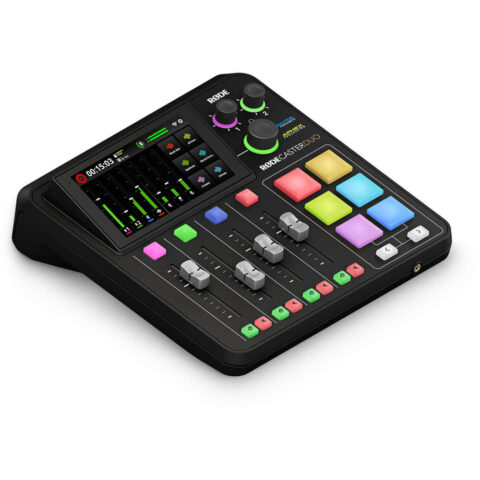 RODE
RODERode RODECaster Duo Compact Mixer
$677.95 incl. GST Ships in 1-2 business daysAdd to cart
A basic XLR microphone setup
- An XLR microphone, dynamic or condenser.
- An XLR cable, from our mic and XLR cables range.
- An audio interface or mixer with enough gain for the mic, and phantom power if it is a condenser.
- Closed headphones for monitoring.
- A desk stand or boom arm to keep the mic at a steady distance.
Which should you buy
| Use | Suggested type | Why |
|---|---|---|
| Microphone for Zoom calls and meetings | USB | Plug in, select it, done |
| Solo streaming or gaming | USB or hybrid dynamic | Simple now, room to grow |
| Podcast with guests | XLR or hybrid, with interface or mixer | Several mics on one clock |
| Voice-over in a treated room | Condenser, XLR or hybrid | Detail and upgrade path |
| Music and instruments | XLR with an interface | Mix mic types and add channels |
For Zoom, Teams and other video calls, the practical features are a mute control you can reach, a headphone output so you can hear yourself without delay, and a cardioid pattern that favours your voice over the room. Keep the mic within an arm's length and slightly off to the side of your mouth.
If you are unsure, a hybrid dynamic mic is a low-risk start: it works on USB with no extra gear, and it becomes an XLR mic the day you buy an interface. Read do you need an audio interface before you decide. Prices include GST and shipping is free Australia-wide.
Questions
Does an XLR microphone sound better than a USB microphone?
Not automatically. A good USB mic can sound as clean as an XLR mic for a single voice. XLR's advantage is choice: you can pair the mic with a better preamp, change either part later, and record several people. For one person on calls or streams, the difference is often small.
Can I plug an XLR microphone straight into my computer?
No. A computer has no XLR input, and the mic's signal needs a preamp and converter. You need an audio interface, a mixer with USB, or an XLR to USB adapter with a built-in preamp. Condenser mics also need 48 V phantom power, which most interfaces supply.
Can I use two USB microphones at once?
Sometimes, but it is awkward. On a Mac you can combine them in an Aggregate Device, and RODE documents this for the NT1 5th Generation. On Windows it is less predictable. For regular two-person recording, two XLR or hybrid mics into a two-input interface or podcast mixer is simpler and more reliable.
What is a hybrid USB XLR microphone?
It is a microphone with both a USB output and an XLR output, such as the RODE PodMic USB, Shure MV7 or Audio-Technica ATR2100x-USB. Use USB for a simple computer setup, then switch to XLR when you add an interface or mixer. It is a practical way to avoid replacing the mic as your setup grows.
Sources
Specifications and background were checked against these pages when the guide was last updated. Always confirm compatibility on the product page before ordering.
- edge.rode.com/pdf/products/1045/PodMic-USB_Datasheet_FA.pdf
- shure.com/en-US/docs/guide/MV7
- docs.audio-technica.com/us/p52830_atr2100x_usb_um.pdf
- rode.com/en-us/user-guides/nt1-5th-generation
- shure.com/en-US/docs/guide/SM7B
- shure.com/en-US/docs/guide/SM7dB
- focusrite.com/products/scarlett-solo
- rode.com/en-us/user-guides/ai-micro