Buying guide
Do I Need an Audio Interface? How to Choose One
What an audio interface does, when a USB microphone is enough, and how to compare inputs, gain, phantom power, loopback and bus power across Focusrite, MOTU, SSL and RODE models.
Short answer You need an audio interface if you want to record an XLR microphone, a guitar or bass, more than one microphone at once, or drive studio monitors from your computer. If you are one person recording speech with a USB microphone, you do not need one, because the microphone already has its own preamp and converter. Once you do need one, choose by the number of microphone inputs, the preamp gain, the headphone outputs and features such as loopback.
"Do I need an audio interface?" is one of the most common questions from people setting up a podcast, home studio or streaming desk. The answer depends on what you are plugging in and how many sources you record at once. This guide explains what an interface actually does, when you can skip it, and how to compare the models in our audio interfaces range.
What does an audio interface do
An audio interface is the bridge between analogue sound and your computer. It handles several jobs in one box:
- Microphone preamps. Microphones produce a very weak signal. The preamp boosts it to a usable level, and the amount of boost available is its gain, measured in decibels.
- Conversion. The analogue to digital converter turns the voltage from a microphone or instrument into digital audio. The digital to analogue converter does the reverse for your headphones and speakers.
- 48 V phantom power. Sent down the XLR cable to power condenser microphones, inline preamps such as the sE DM1 and active microphones such as the Shure SM7dB. Switch it off when nothing needs it.
- Direct monitoring. Sends your input straight to the headphone output instead of through the computer first, so you hear yourself without distracting delay.
- Drivers. On Windows, a manufacturer ASIO driver generally gives lower latency than generic system audio. Latency still depends on buffer size, sample rate and computer load.
Do I need an audio interface? When yes and when no
| Your situation | What fits |
|---|---|
| One person recording speech, calls or streams | A USB microphone is enough |
| You own, or want, an XLR microphone | An audio interface, podcast console or recorder |
| A condenser microphone that needs phantom power | An audio interface |
| Recording guitar or bass directly | An interface with an instrument input |
| Two or more XLR microphones at once | A multi-input interface or podcast console |
| Studio monitors plus headphones | An interface with monitor and headphone outputs |
| Two lavalier or headset microphones on a laptop or phone | A compact interface such as the RODE AI-Micro |
A USB microphone contains its own capsule, preamp, converter and USB connection, so it does the interface's job for one voice. The limit comes when you add a second person. Two USB microphones run on separate clocks and can drift apart, while two XLR microphones into one interface share a single clock. Our USB vs XLR microphones guide covers that choice in detail.
Features to compare before you buy
Inputs
Count the microphones you will record at the same time, then add one for growth. Check whether inputs are combo sockets that accept XLR microphones and jack instruments, or whether the instrument input is separate.
Preamp gain
Low-output dynamic microphones such as the Shure SM7B and RODE PodMic need a lot of clean gain. Compare the manufacturer's maximum gain figure. Condensers need much less. Our SM7B vs SM7dB vs PodMic guide explains why this matters.
Headphone outputs
Most two-input interfaces have one headphone output. If two people each need their own headphone level, look for a second output or a podcast console.
Loopback
Loopback routes computer playback back into the interface as a recordable input. It is useful for streaming, tutorials and recording a video call or music bed alongside your microphone.
Bus power
Many compact interfaces run entirely from the USB connection, which suits laptops and travel. The computer or tablet must supply enough USB power.
Scarlett 2i2 vs Solo and other popular interfaces
The table below uses manufacturer specifications for interfaces we carry. Gain figures are the maximum preamp gain the maker lists.
| Interface | Mic preamps | Max mic gain | Notable features |
|---|---|---|---|
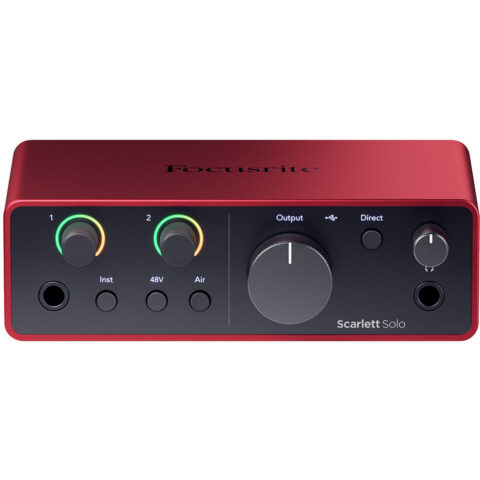
| Focusrite Scarlett Solo 4th Gen | 1, plus a separate instrument/line input | 57 dB | Air mode, loopback, bus powered |
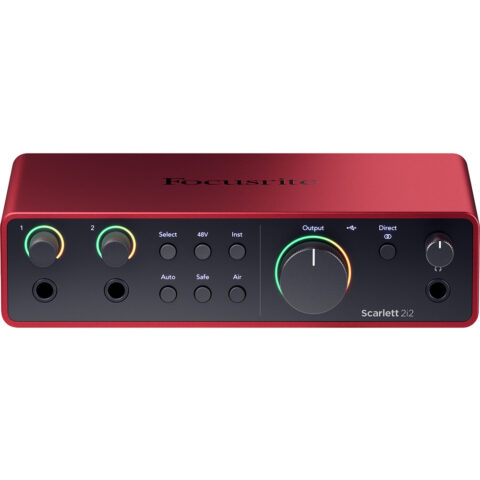
| Focusrite Scarlett 2i2 4th Gen | 2 | 69 dB | Auto Gain, Clip Safe, Air, loopback, bus powered |
| Focusrite Scarlett 4i4 4th Gen | 2 | 69 dB | As 2i2, plus extra line inputs and outputs and MIDI |
| MOTU M2 | 2 | 60 dB | Colour LCD level meters, loopback, bus powered |
| SSL 2 MkII | 2 | 64 dB | 4K enhancement, high-pass filters, stereo loopback |
| SSL 2+ MkII | 2 | 64 dB | As SSL 2 MkII, plus a second headphone output, extra line outputs and MIDI |
The Scarlett 2i2 vs Solo decision is mostly about the second microphone. The Solo has one XLR microphone input and one separate instrument or line input, so it suits one voice plus a guitar. The 2i2 has two preamps with more gain, plus Focusrite's Auto Gain, which listens to your signal and sets a level, and Clip Safe, which pulls gain back when clipping is likely. Focusrite lists those two features on the 2i2 and 4i4 but not the Solo.
The 4i4 does not add microphone preamps over the 2i2; it adds line connections and MIDI. The SSL 2+ MkII is worth a look if two people need separate headphone outputs from a two-input interface.
Two-input audio interfaces in this guide
-
 Focusrite
Focusrite Scarlett Solo USB-C Audio Interface (4th Generation)
$211.95 incl. GST Ships in 1-2 business daysAdd to cart -
 Focusrite
Focusrite Scarlett 2i2 USB-C Audio Interface (4th Generation)
$289.95 incl. GST Ships in 1-2 business daysAdd to cart -
 Motu
MotuMOTU M2 2x2 USB-C Audio Interface for Recording, Mixing & Podcasting
$444.95 incl. GST Ships in 1-2 business daysAdd to cart -
 Solid State Logic
Solid State Logic SSL 2+ MKII USB-C Audio/MIDI Interface
$507.95 incl. GST Ships in 2-3 business daysAdd to cart
Recommendations by use
Audio interface for podcasting
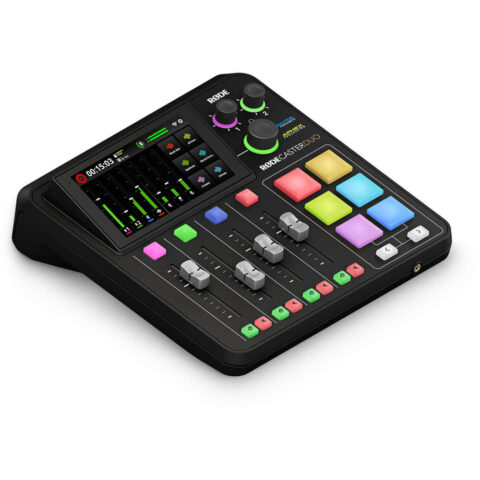
For one or two hosts with dynamic microphones, choose a two-input interface with generous gain, such as the Scarlett 2i2 4th Gen or SSL 2 MkII. For two to four hosts who each need headphones, a podcast console is usually simpler. The RODECaster Duo and Pro II have up to 76 dB of gain on each input, multiple headphone outputs and multitrack recording. Our podcast setup at home guide shows complete kits.
Music and home recording
A singer-songwriter recording one vocal and one guitar can start with the Scarlett Solo. Recording a vocal and guitar at the same time on separate microphones, or stereo sources, calls for two preamps. Add studio monitors from the studio monitors range once you have monitor outputs.
Four microphones or more
Two-input interfaces stop at two voices. For a four-person panel, look at a podcast console or multitrack recorder that doubles as a USB interface. Zoom lists four XLR inputs with up to 70 dB of gain on the PodTrak P4next, along with a smartphone input for phone guests, and the RODECaster Pro II has four combo inputs. Both can also record to a microSD card, which is handy for recording away from a computer or keeping a second copy.
Mobile and lavalier recording
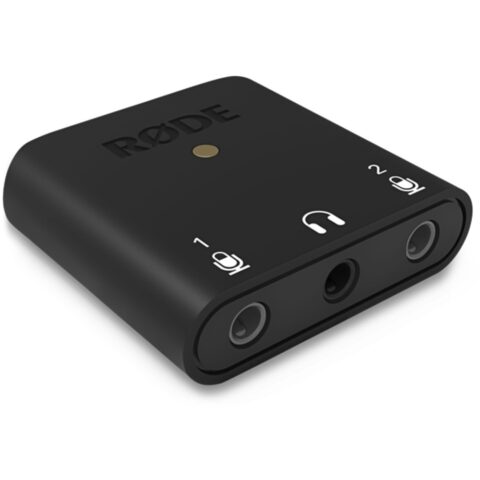
The RODE AI-Micro takes two 3.5 mm microphones, such as lavalier or headset microphones, and connects over USB-C to a computer, tablet or phone, with a 3.5 mm headphone output. It is not built for standard XLR studio microphones.
One microphone on a small budget
The PreSonus AudioBox GO is a compact, bus-powered USB-C interface with one microphone input and one instrument input, phantom power and direct monitoring.
Streaming with a camera
The RODE Streamer X combines a one-input audio interface, with a combo input and phantom power, with HDMI video capture and SMART pads, so a camera and microphone share one box.
Interfaces for podcasting, mobile and streaming
-
 RODE
RODERode AI-Micro Ultra-Compact Dual-Channel Audio Interface
$114.95 incl. GST Ships in 3-5 business daysAdd to cart -
 Presonus
PreSonus AudioBox GO Ultracompact 2x2 USB Type-C Audio Interface
$144.95 incl. GST Ships in 1-2 business daysAdd to cart -
 RODE
RODERode Streamer X Compact Audio Interface
$325.95 incl. GST Ships in 3-5 business daysAdd to cart -
 RODE
RODERode RODECaster Duo Compact Mixer
$677.95 incl. GST Ships in 1-2 business daysAdd to cart
You can also browse interfaces by maker, including Focusrite, MOTU and Solid State Logic.
Questions
Do I need an audio interface for a USB microphone?
No. A USB microphone has its own preamp and converter and plugs straight into a computer. You would only add an interface if you want to switch to an XLR microphone, record several people on one shared clock, or connect instruments and studio monitors. Hybrid microphones with both USB and XLR outputs can move to an interface later.
Is the Scarlett Solo enough for podcasting?
For one host with a condenser or a reasonably sensitive dynamic, yes. With a low-output dynamic such as an SM7B or PodMic, its 57 dB maximum gain may leave a quiet voice short, so a higher-gain interface or an inline preamp is worth considering. It also has only one microphone input, so it cannot record a co-host on a second microphone.
What is loopback on an audio interface?
Loopback sends audio playing on your computer, such as a video call, music bed or game, back into the interface as an extra input. Your recording or streaming software can then capture it alongside your microphone. Focusrite, MOTU and SSL all list loopback on the interfaces covered in this guide.
Can an audio interface power a condenser microphone?
Yes, if it has 48 V phantom power, which the interfaces in this guide do. Switch phantom power on only for the inputs that need it, such as condensers, inline preamps or active dynamics. Passive dynamic microphones do not need it.
Sources
Specifications and background were checked against these pages when the guide was last updated. Always confirm compatibility on the product page before ordering.
- us.focusrite.com/scarlett
- fael-downloads-prod.focusrite.com/customer/prod/downloads/scarlett_2i2_4th_gen_user_guide_v4-pdf-en.pdf
- fael-downloads-prod.focusrite.com/customer/prod/downloads/scarlett_solo_4th_gen_user_guide_v4-pdf-en.pdf
- cdn-data.motu.com/manuals/usb-c-audio/M_Series_User_Guide.pdf
- solidstatelogic.com/products/ssl-2-mkii
- support.solidstatelogic.com/hc/en-gb/articles/19991374319773-SSL-2-MKII-User-Guide
- motu.com/en-us/news/introducing-the-m2-and-m4
- zoomcorp.com/en/us/podtrak-recorders/podcast-recorders/podtrak-p4next
- help.rode.com/hc/en-us/articles/6938577981583-What-are-the-R%C3%98DECaster-Pro-II-Duo-s-Revolution-Preamps