Peripherals
64 products from 14 brands, including X-Keys, LogicKeyboard, 3D Connexion. Prices from $10.95 to $909.95, including GST. 20 ship within 1-2 business days.
Peripherals cover the keyboards, pointing devices, webcams, hubs and specialist controls that connect you to a computer. This range suits home offices, creative workstations, gaming setups and production systems. Choose from X-Keys, Wacom, OBSBOT and 3D Connexion for programmable input, pen control, video calls and 3D navigation.
Showing 1 to 24 of 64 results
-
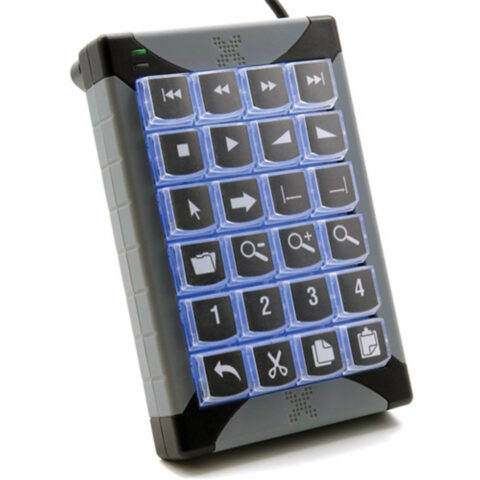 X-Keys
X-Keys XK-24 USB Keypad
$279.95 incl. GST Ships in 1-2 business daysAdd to cart -
 Wacom
WacomWacom Intuos - Standard Nibs 5pk (Black)
$11.95 incl. GST Ships in 1-2 weeksAdd to cart -
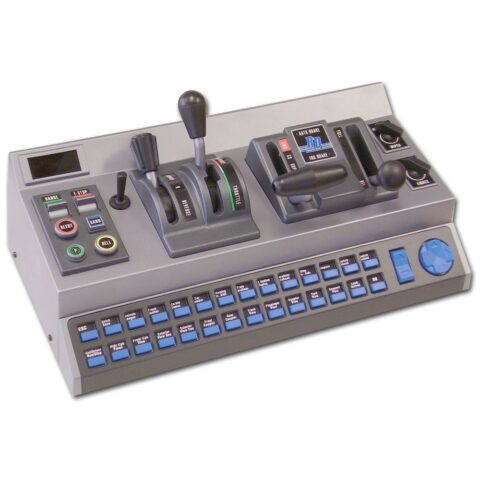 RailDriver
RailDriver Desktop Train Cab Controller
$541.95 incl. GST Ships in 1-2 business daysAdd to cart -
 RODE
RODERODE High-Performance USB Hub
$211.95 incl. GST Ships in 1-2 business daysAdd to cart -
 OBSBOT
OBSBOT Meet 2 4K Webcam (Space Grey)
$211.95 incl. GST Ships in 1-2 business daysAdd to cart -
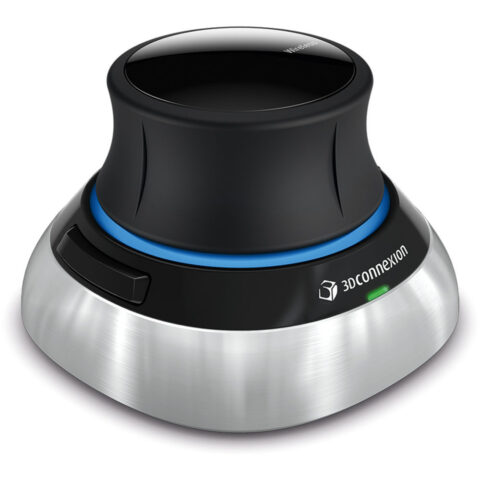 3D Connexion
3D Connexion SpaceMouse Wireless with Bluetooth
$298.95 incl. GST Ships in 2-3 business daysAdd to cart -
 Insta360
Insta360 Link 2 4K AI Webcam
$327.95 incl. GST Ships in 1-2 weeksAdd to cart -
 OBSBOT
OBSBOT Tiny 2 AI-Powered PTZ 4K Webcam
$415.95 incl. GST Ships in 1-2 business daysAdd to cart -
 X-Keys
X-keys XK-12 USB 12 Switch Interface
$201.95 incl. GST Ships in 1-2 business daysAdd to cart -
 X-Keys
X-keys XK-A-529-R Tall Keycaps (Transparent, Pack of 10)
$17.95 incl. GST Ships in 1-2 business daysAdd to cart -
 Corsair
Corsair M65 RGB ULTRA Wireless Gaming Mouse (Black)
$201.95 incl. GST Ships in 2-3 business daysAdd to cart -
 3D Connexion
3D Connexion SpaceMouse Wireless Kit 2 (Bluetooth Edition)
$405.95 incl. GST Ships in 2-3 business daysAdd to cart -
 X-Keys
X-keys XK-A-556-R X-Keys Key Blockers (Pack of 10)
$11.95 incl. GST Ships in 4-6 weeksAdd to cart -
 X-Keys
X-Keys XK-4 Stick with Four Programmable Keys
$172.95 incl. GST Ships in 1-2 business daysAdd to cart -
 X-Keys
X-Keys XK-80 USB Programmable Keyboard
$415.95 incl. GST Ships in 4-6 weeksAdd to cart -
 LogicKeyboard
Logickeyboard TITAN Wireless Keyboard for DaVinci Resolve (Windows, US English)
$269.95 incl. GST On backorder, dispatch date to be confirmedAdd to cart -
 ProGrade Digital
Prograde Pro PG25 Thunderbolt 5 Dock
$638.95 incl. GST On backorder, dispatch date to be confirmedAdd to cart -
 X-Keys
X-keys Blank Legend Sheets for Single Keys (Set of 10)
$36.95 incl. GST Ships in 1-2 business daysAdd to cart -
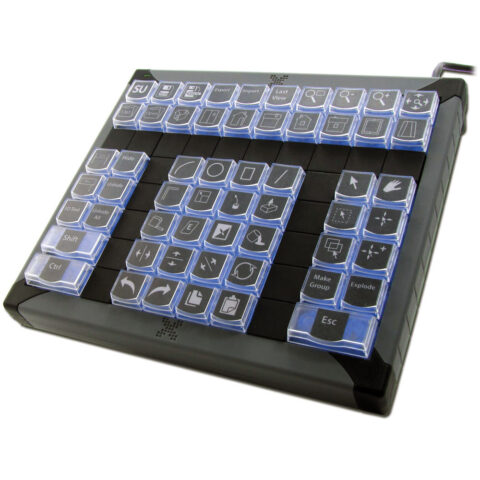 X-Keys
X-Keys XK-60 USB Programmable Keyboard
$376.95 incl. GST Ships in 4-6 weeksAdd to cart -
 3D Connexion
3Dconnexion CadMouse Pro Wireless Mouse (Right-Handed)
$211.95 incl. GST Ships in 2-3 business daysAdd to cart -
 X-Keys
X-keys XK-A-528-R Wide Keycaps (Transparent, Pack of 10)
$29.95 incl. GST Ships in 4-6 weeksAdd to cart -
 3D Connexion
3DConnexion Keyboard Pro with Numpad - QWERTY
$172.95 incl. GST Ships in 2-3 business daysAdd to cart -
 LogicKeyboard
LogicKeyboard Titan Wireless Keyboard for AVID Media Composer (Mac, US English)
$289.95 incl. GST Ships in 3-4 weeksAdd to cart -
 SmallRig
SmallRig 4598 4-in-1 USB-C Hub
$38.95 incl. GST Ships in 4-6 weeksAdd to cart
Related categories
Peripherals brands
About the Peripherals range
Start with the task, then compare the specifications that affect daily use. For keyboards and keypads, check layout, programmable keys, connection type and operating system support. For mice and pointing devices, compare shape, sensor, buttons, tracking surface and wired or wireless connection. Webcams are commonly compared by resolution, frame rate, autofocus, field of view, microphone features and PTZ or AI tracking. For hubs and docks, check port types, data speeds, display outputs, charging support and the number of screens required.
Check every connection before ordering. A USB-C plug does not automatically provide video output, charging or high-speed data, so confirm what your computer's port supports. Match webcam and hub connectors with available USB-A or USB-C ports, and check operating system compatibility. Compare keyboard layouts and physical size if desk space matters. The range is organised by Keyboards & Accessories, Mice & Pointing Devices, USB Hubs & Docking Stations, and Webcams, with specialist footswitches and remotes listed with input devices.
Peripherals questions
Will a USB-C hub work with any USB-C laptop in Australia?
Not necessarily. USB-C describes the connector shape, not every function it can support. Before buying, check whether your laptop supports the hub's required data speed, display output and USB Power Delivery. Also confirm the dock's monitor connectors, operating system support and charging wattage.
What should I check when choosing a 4K webcam?
Check the webcam's USB connector, operating system support, frame rate, autofocus, field of view and microphone features. Confirm your computer has a suitable USB port, especially if the webcam uses USB-C. A 4K camera can also require more bandwidth than an older USB connection provides.
What is the difference between a USB hub and a docking station?
A USB hub generally adds ports for devices such as keyboards, mice, storage and webcams. A docking station can combine USB, display, network and charging connections through one host cable. Check the computer's port capabilities and the dock's supported displays before choosing between them.