USB Hubs & Docking Stations
6 products from 3 brands, including SmallRig, ProGrade Digital, RODE. Prices from $38.95 to $638.95, including GST. 2 ship within 1-2 business days.
USB Hubs & Docking Stations add ports for connecting storage, displays, memory cards, Ethernet, keyboards and other accessories to a computer. They suit laptop users, photographers, videographers and desktop setups that need more connections from one host port. Choose from SmallRig, ProGrade Digital and RODE models for everyday expansion, high-speed workflows and card-based production tasks.
Showing all 6 results
-
 RODE
RODERODE High-Performance USB Hub
$211.95 incl. GST Ships in 1-2 business daysAdd to cart -
 ProGrade Digital
Prograde Pro PG25 Thunderbolt 5 Dock
$638.95 incl. GST On backorder, dispatch date to be confirmedAdd to cart -
 SmallRig
SmallRig 4598 4-in-1 USB-C Hub
$38.95 incl. GST Ships in 4-6 weeksAdd to cart -
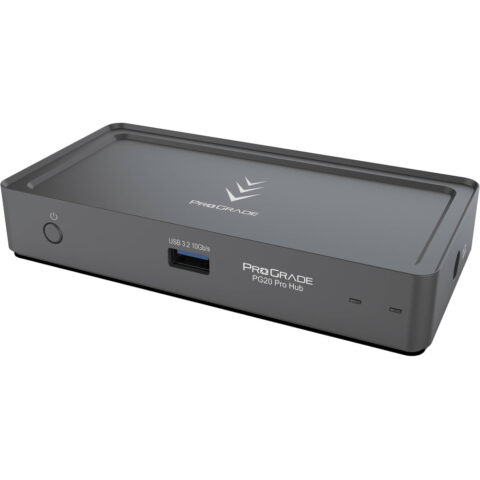 ProGrade Digital
ProGrade Digital PG20 Pro Thunderbolt 4 Hub
$289.95 incl. GST Ships in 2-3 business daysAdd to cart -
 SmallRig
SmallRig CFexpress Type B 9-in-1 Docking Station
$106.95 incl. GST Ships in 1-2 business daysAdd to cart -
 SmallRig
SmallRig 4663 9 in 1 CFExpress Photography Docking Station (A)
$124.95 incl. GST Ships in 4-6 weeksAdd to cart
Related categories
USB Hubs & Docking Stations brands
About the USB Hubs & Docking Stations range
Start with the host connection, such as USB-C, USB4 or Thunderbolt 4 or 5, then check the computer's supported standard. Compare the number and type of ports you need, including USB-A, USB-C, HDMI, DisplayPort, Ethernet, SD and CFexpress card slots. For displays, check supported resolution and refresh rate. If the hub should charge a laptop, look for USB Power Delivery passthrough and confirm its maximum wattage. Also compare data speeds, whether the unit needs external power, cable length and the physical space available on your desk or in your kit.
USB-C describes the connector shape, not necessarily the available speed, charging or video features. A computer must support DisplayPort Alt Mode for many hub video outputs to work, while a Thunderbolt dock may operate with reduced features on a USB-C-only host. Check the exact computer, tablet or phone specification before buying, and use suitable cables. This range includes compact multi-port USB-C hubs, Thunderbolt hubs and docking stations with photography card readers, so organise your choice around the devices you connect most often.
USB Hubs & Docking Stations questions
Will a USB-C hub work with any USB-C laptop in Australia?
Not necessarily. USB-C ports can support different combinations of data, charging and video. Check whether your laptop supports the hub's USB standard and DisplayPort Alt Mode if you need a monitor. A Thunderbolt hub can have reduced performance or features when connected to a USB-C-only computer.
Can a USB hub charge my laptop?
Only if the hub has USB Power Delivery passthrough and your computer supports charging through its USB-C port. Connect the laptop charger to the hub's PD input, then check the hub's maximum wattage against your laptop's requirement. Some hubs are data-only and do not provide laptop charging.
What is the difference between a USB hub and a docking station?
A USB hub generally adds a smaller selection of ports for peripherals, storage or cards. A docking station usually provides a broader desktop connection set, such as display outputs, Ethernet, charging and multiple high-speed ports. The right choice depends on your host connection, monitor requirements and connected equipment.