Webcams
9 products from 4 brands, including OBSBOT, Elgato Systems, Insta360. Prices from $172.95 to $415.95, including GST. 4 ship within 1-2 business days.
Webcams covers USB cameras for video calls, streaming and online teaching, from simple 1080p models to 4K cameras with motorised pan and tilt that follow you around the room. We stock OBSBOT, Insta360, Elgato and Hollyland webcams, suited to remote workers, streamers, educators and anyone upgrading from a laptop's built-in camera.
Showing all 9 results
-
 OBSBOT
OBSBOT Meet 2 4K Webcam (Space Grey)
$211.95 incl. GST Ships in 1-2 business daysAdd to cart -
 Insta360
Insta360 Link 2 4K AI Webcam
$327.95 incl. GST Ships in 1-2 weeksAdd to cart -
 OBSBOT
OBSBOT Tiny 2 AI-Powered PTZ 4K Webcam
$415.95 incl. GST Ships in 1-2 business daysAdd to cart -
 Elgato Systems
Elgato Facecam 4K Studio Webcam
$298.95 incl. GST Ships in 1-2 weeksAdd to cart -
 OBSBOT
OBSBOT Meet SE Webcam (Space Grey)
$172.95 incl. GST Ships in 1-2 business daysAdd to cart -
 Elgato Systems
Elgato Facecam MK.2 1080p Webcam
$221.95 incl. GST Ships in 1-2 weeksAdd to cart -
 Insta360
Insta360 Link 2C 4K AI Webcam
$347.95 incl. GST Ships in 1-2 weeksAdd to cart -
 OBSBOT
OBSBOT Meet 2 4K Webcam (Cloud White)
$211.95 incl. GST Ships in 2-3 weeksAdd to cart -
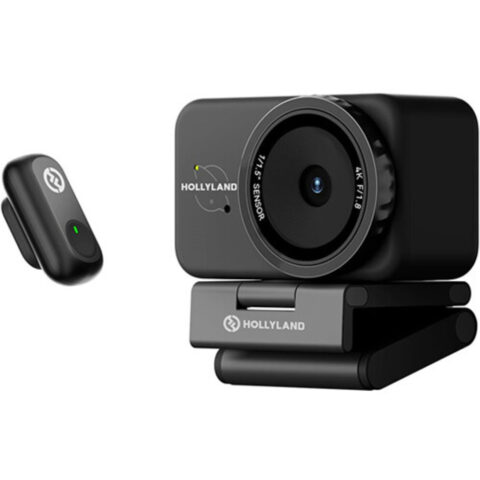 Hollyland
Hollyland Lyra UHD 4K Webcam Streaming Bundle with LARK A1 Wireless Microphone (Black)
$308.95 incl. GST Ships in 1-2 business daysAdd to cart
Related categories
Webcams brands
About the Webcams range
Resolution is only part of the picture. Sensor size and lens aperture decide how clean the image looks in a dim room, and a wider field of view shows more of the space behind you, which suits whiteboards and groups but can be unflattering for one person at a desk. AI tracking models pan, tilt and reframe automatically to keep you in shot. Check the frame rate at your chosen resolution, the autofocus type, and whether the webcam offers manual exposure and white balance through its desktop software.
Most webcam problems come from lighting and bandwidth rather than the camera. A 4K webcam still looks noisy in a dark room, so add a light in front of you before upgrading. Video call platforms usually compress the image to 1080p or lower, so 4K matters most for recording and streaming. Plug the camera straight into a USB port on the computer rather than an unpowered hub, and check that your operating system and apps are supported. Position the camera at eye level for a natural angle.
Webcams questions
Is a 4K webcam worth it for video calls?
Most call platforms send 1080p or lower, so the extra resolution is rarely seen by the other person. A 4K webcam can still help through a larger sensor and better low-light performance, and it allows digital cropping and reframing. For streaming and recorded content, the extra detail is more useful.
What is an AI tracking webcam?
It uses on-board processing to detect a person and keep them framed, either by digitally cropping or, on gimbal models, by physically panning and tilting the camera. This suits presenters, teachers and fitness streamers who move around while talking.
Do webcams work with Mac and Windows?
Most USB webcams are plug and play on Mac and Windows, working with call and streaming apps without extra drivers. Advanced settings such as tracking modes, exposure and colour often need the maker's desktop app, so check operating system support on the product page.