Video Capture & Playback
12 products from 6 brands, including Blackmagic, Andycine, AVMATRIX. Prices from $40.95 to $1,490.95, including GST. 3 ship within 1-2 business days.
Video Capture & Playback products connect cameras, consoles and other video sources to computers, displays or broadcast systems. They suit live streaming, recording, video conferencing, monitoring and post-production workflows. Choose from Blackmagic, Elgato Systems, Kondor Blue and Magewell products for USB, HDMI or professional capture and playback needs.
Showing all 12 results
-
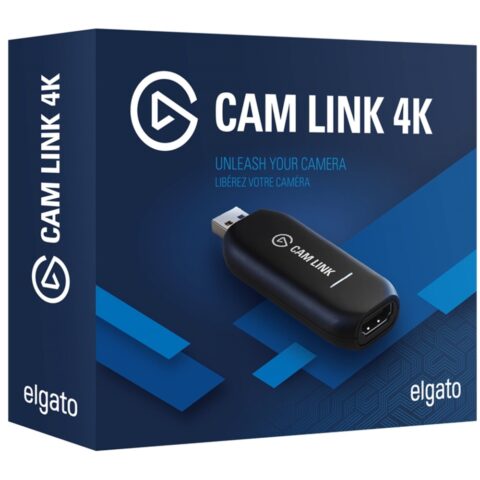 Elgato Systems
Elgato Cam Link 4K
$172.95 incl. GST Ships in 1-2 business daysAdd to cart -
 Kondor Blue
Kondor Blue HDMI To USB C Capture Card For Live Streaming Video & Audio
$81.95 incl. GST Ships in 1-2 business daysAdd to cart -
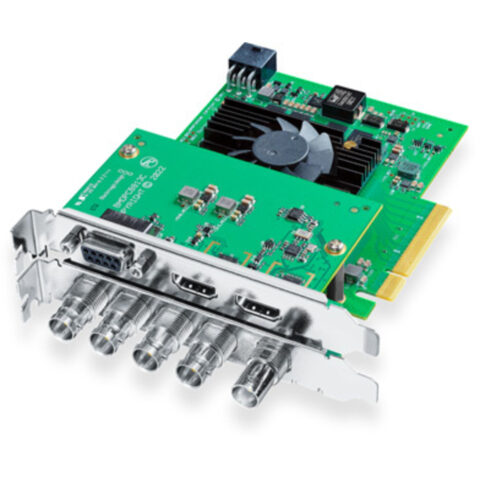 Blackmagic
Blackmagic DeckLink 8K Pro G2
$1,103.95 incl. GST Ships in 2-3 business daysAdd to cart -
 Blackmagic
Blackmagic UltraStudio 4K Mini
$1,490.95 incl. GST Ships in 2-3 business daysAdd to cart -
 Blackmagic
Blackmagic Design DeckLink Mini Monitor HD
$194.95 incl. GST Ships in 2-3 business daysAdd to cart -
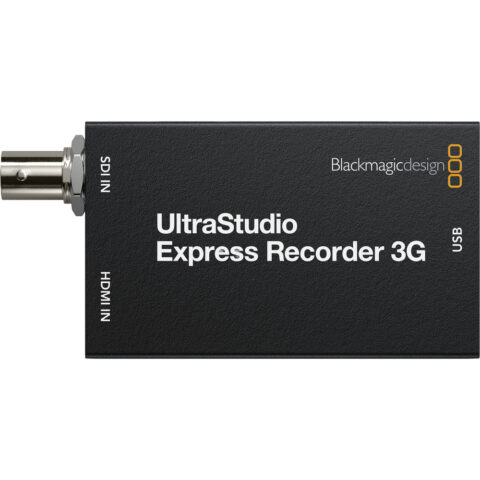 Blackmagic
Blackmagic Design UltraStudio Express Recorder 3G
$230.95 incl. GST Ships in 1-2 business daysAdd to cart -
 Blackmagic
Blackmagic Design UltraStudio Express Monitor 3G
$230.95 incl. GST Ships in 2-3 business daysAdd to cart -
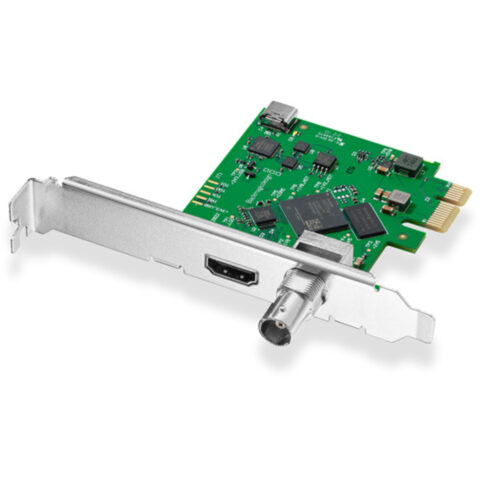 Blackmagic
Blackmagic Design DeckLink Mini Recorder HD
$185.95 incl. GST Ships in 2-3 business daysAdd to cart -
 AVMATRIX
AV Matrix UC1118 SDI to USB 3.1 Type-C Video Capture
$376.95 incl. GST Ships in 2-3 weeksAdd to cart -
 Blackmagic
Blackmagic Design UltraStudio Mini Monitor 12G
$570.95 incl. GST Ships in 2-3 weeksAdd to cart -
 Andycine
ANDYCINE U2H41 HDMI to USB 2.0 Video Capture Device
$40.95 incl. GST Ships in 4-6 weeksAdd to cart -
 Magewell
Magewell Pro Capture SDI Card (1-Channel)
$624.95 incl. GST On backorder, dispatch date to be confirmedAdd to cart
Related categories
Video Capture & Playback brands
About the Video Capture & Playback range
Start with the signal you need to handle. Check whether the source and destination use HDMI, SDI, USB or another connection, then compare supported input and output resolutions, frame rates and colour formats. A device may accept 4K input but only capture or output 1080p. For streaming, confirm the capture frame rate, audio support and USB standard. For editing or broadcast work, consider PCIe or Thunderbolt connectivity, SDI support, monitoring outputs and whether your software requires a specific driver.
Match the capture device to your computer and workflow before buying. USB capture cards are generally suited to cameras, consoles and simple streaming setups, while internal PCIe cards and dedicated interfaces are intended for desktop editing, monitoring or broadcast systems. Check USB-A, USB-C, PCIe and Thunderbolt requirements carefully, and confirm your computer, operating system and software are supported. HDMI output from a camera may also need clean output, while copy-protected signals from some devices may not capture correctly.
Video Capture & Playback questions
Can I use a video capture card for live streaming in Australia?
Yes. HDMI to USB capture devices can send video and audio from a compatible camera, console or other source to a computer for use in streaming software. Check the maximum capture resolution, frame rate, USB connection and operating system support before purchase.
Does a 4K capture card record in 4K?
Not necessarily. Some products accept a 4K input but capture or pass it through at 1080p. Check the separate input, capture and output specifications. For 4K recording, the device, computer connection and software must all support the required resolution and frame rate.
What is the difference between HDMI and SDI video capture?
HDMI is common on cameras, consoles and consumer equipment, while SDI is used in many professional video systems. HDMI cables are usually shorter and less suited to locked connections. Choose a device that matches the signal, connector type, resolution and workflow you already use.