Buying guide
Which SD Card for Sony a7 IV, FX30, a6700 and ZV-E10
Sony publishes a minimum card for every recording mode. Here is what the a7 IV, FX30, a6700 and ZV-E10 need, from V30 SD to CFexpress Type A, and which cards match.
Short answer For the Sony a7 IV, a U3/V30 SD card handles every long-GOP mode, including XAVC HS 4K and XAVC S 4K at up to 200 Mbps. You need an SDXC V90 card or a CFexpress Type A card rated VPG200 for XAVC S-I (All-Intra), and Sony asks for V60 or better for 4K slow motion. The FX30 and a6700 need V60 for their 280 Mbps modes, while the ZV-E10 never needs more than U3.
The best SD card for Sony a7 IV owners is the one that meets the recording mode you actually use, without paying for speed the camera cannot use. Sony publishes a minimum card for every file format on each body, and those tables are the basis for everything below. We cover the a7 IV, FX30, a6700 and ZV-E10, then match each requirement to cards in our memory cards and accessories range.
What V30, V60, V90 and VPG200 actually mean
Card labels mix several different specifications. Only two of them decide whether a card will keep up with video.
- Video Speed Class (V30, V60, V90): set by the SD Association. The number is the minimum sustained write speed in megabytes per second, so V30 is 30 MB/s, V60 is 60 MB/s and V90 is 90 MB/s.
- UHS Speed Class (U1, U3): an older scale. U3 means a 30 MB/s minimum write speed, the same floor as V30.
- Bus interface (UHS-I, UHS-II): the connection, not the sustained speed. UHS-I tops out at 104 MB/s and UHS-II at 312 MB/s. A UHS-II card is not automatically V60 or V90, so always read the V number.
- VPG200 and VPG400: the CompactFlash Association's sustained-write ratings for CFexpress cards, at 200 MB/s and 400 MB/s respectively.
The large "read speed" figure printed on the front of most cards is a peak transfer rate for offloading. It tells you little about recording, which depends on sustained writing.
How to pick the best SD card for Sony a7 IV recording modes
The Sony a7 IV has two card slots, and both accept either SD cards (UHS-I and UHS-II) or CFexpress Type A cards. Sony states that CFexpress Type B cards cannot be used. Here is what Sony's help guide lists for normal recording:
- XAVC HS 4K and XAVC S 4K (up to 200 Mbps): SDHC/SDXC U3/V30 or higher, or any CFexpress Type A card.
- XAVC S HD (up to 100 Mbps): U3/V30 or higher, or CFexpress Type A.
- Any setting at 60 Mbps or lower: a Class 10 SDHC/SDXC card is enough.
- XAVC S-I 4K (up to 600 Mbps) and XAVC S-I HD (up to 222 Mbps): SDXC V90 or higher, or CFexpress Type A rated VPG200 or higher.
Slow and Quick motion on the a7 IV
S&Q raises the recording bit rate, so the requirements climb. Sony lists SDXC V60 or a VPG200 CFexpress Type A card for XAVC HS 4K and XAVC S 4K in S&Q. For XAVC S-I 4K slow motion at 60 or 50 fps with a 30p, 25p or 24p record rate, only a CFexpress Type A card rated VPG200 or higher is supported. Sony also notes that shooting proxies at the same time may call for a faster card.
In practice, most a7 IV owners shooting long-GOP 4K are covered by a V30 card. If you plan to shoot All-Intra for grading or slow motion in 4K, budget for V90 SD or CFexpress Type A from the start.
FX30, a6700 and ZV-E10: card needs by body
Sony FX30
The Sony FX30 also has two slots that take CFexpress Type A or SD. Its 4K long-GOP modes go up to 280 Mbps, and Sony lists SDXC V60 or a VPG200 CFexpress Type A card for those. Sony adds that at 200 Mbps a U3/V30 card is fine. XAVC S HD at up to 100 Mbps needs U3. XAVC S-I 4K, S-I HD and S-I DCI 4K (firmware 2.00 or later) need V90 or VPG200 CFexpress Type A. For S&Q, 120 or 100 fps 4K may need a V90 card, and All-Intra slow motion requires CFexpress Type A.
Sony a6700
The Sony a6700 has a single slot that takes SD cards only (UHS-II compatible), so CFexpress is not an option. With proxy recording off, XAVC HS 4K and XAVC S 4K at up to 280 Mbps need SDXC V60, XAVC S HD needs U3, and XAVC S-I 4K (600 Mbps) and S-I HD need V90. With proxies on, 4K tops out at 200 Mbps plus a 16 Mbps proxy and still needs V60. Every S&Q format with proxies off is listed as V90.
Sony ZV-E10
The original Sony ZV-E10 is the simplest. XAVC S 4K and XAVC S HD at 100 Mbps need a U3 card. At 60 Mbps and below, a Class 10 or U1 card is enough. Sony lists nothing above U3, so a V60 or V90 card does not unlock any extra recording mode on this body.
| Body | Everyday 4K | Top long-GOP mode | All-Intra or high-rate S&Q | CFexpress Type A |
|---|---|---|---|---|
| a7 IV | V30 (up to 200 Mbps) | V30 | V90 or VPG200 CFexpress | Yes, both slots |
| FX30 | V30 (at 200 Mbps) | V60 (280 Mbps) | V90 or VPG200 CFexpress | Yes, both slots |
| a6700 | U3 (up to 100 Mbps) | V60 (280 Mbps) | V90 | No, SD only |
| ZV-E10 | U3 (100 Mbps) | U3 | Not offered | No, SD only |
Capacity planning: how many minutes per card
Recording time is simple arithmetic: capacity in megabytes, times eight, divided by the bit rate in megabits per second. The figures below are theoretical for a 128GB card; formatting and file system overhead take a little off.
| Bit rate | Typical mode | Approx. minutes on 128GB |
|---|---|---|
| 100 Mbps | XAVC S 4K or HD at 100M | About 170 |
| 200 Mbps | XAVC HS or S 4K 10-bit at 200M | About 85 |
| 280 Mbps | FX30 or a6700 4K at 280M | About 61 |
| 600 Mbps | XAVC S-I 4K | About 28 |
In All-Intra, a 128GB card holds under half an hour, so event shooters should plan on 256GB cards or several cards swapped at breaks. At 100 Mbps long-GOP, the same card holds close to three hours, which suits travel and YouTube work. On the a7 IV and FX30, the second slot can record a simultaneous backup, but Sony notes both cards should use the same file system (SDXC and CFexpress use exFAT; SDHC uses FAT32).
Cards in our range that match each tier
Every card below states its rating from the manufacturer. Always confirm the V number or VPG rating on the product page before you buy, because the same range can vary by capacity.
V30 and V60: long-GOP 4K on all four bodies
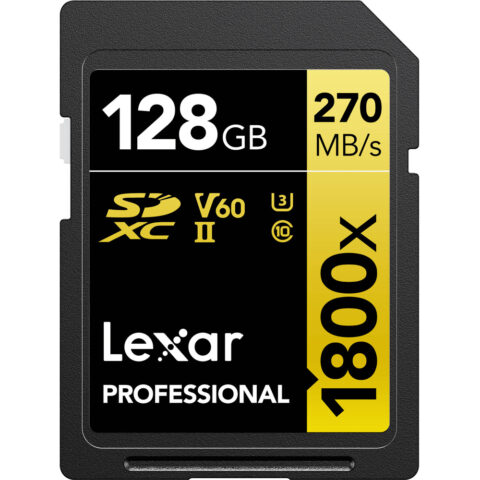
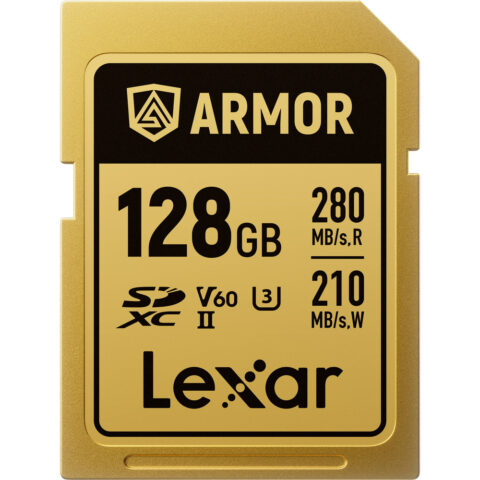
SanDisk lists the Extreme PRO UHS-I SD as U3/V30, which covers a7 IV long-GOP 4K and everything the ZV-E10 records. For the 280 Mbps modes on the FX30 and a6700, Lexar rates its Professional 1800x GOLD and 1667x UHS-II cards as V60, and its ARMOR GOLD and ARMOR SILVER PRO metal-bodied cards as V60 too.
V30 and V60 SD cards for Sony video
-
 Sandisk
SanDisk Extreme PRO UHS-I SDXC Memory Card (128GB)
$79.95 incl. GST Ships in 1-2 business daysAdd to cart -
 Lexar
LexarLexar 128GB Professional 1800x UHS-II SDXC Memory Card (GOLD Series)
$192.95 incl. GST Ships in 1-2 business daysAdd to cart -
 Lexar
LexarLexar 256GB Professional 1667x UHS-II SDXC Memory Card
$255.95 incl. GST Ships in 1-2 business daysAdd to cart -
 Lexar
LexarLexar 128GB ARMOR GOLD UHS-II SDXC Memory Card
$347.95 incl. GST Ships in 8-10 weeksAdd to cart
V90 and CFexpress Type A: All-Intra and slow motion
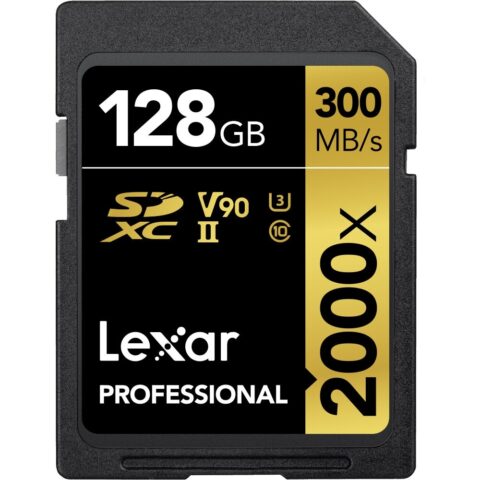
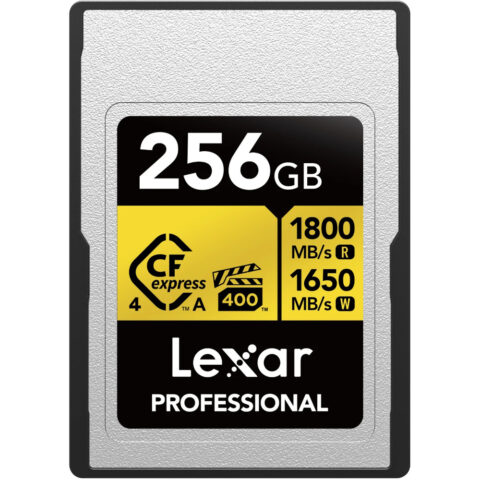
Lexar rates its Professional 2000x UHS-II card as V90, and ProGrade Digital labels its UHS-II Iridium card V90. These cover XAVC S-I on the a6700, which cannot take CFexpress. On the a7 IV and FX30, a CFexpress Type A card is the other route: Lexar rates its Professional SILVER CFexpress 4.0 Type A at VPG200 and the GOLD version at VPG400, so both clear Sony's VPG200 floor, including the S&Q modes that SD cannot handle.
V90 SD and CFexpress Type A cards
-
 Lexar
LexarLexar 128GB Professional 2000x UHS-II SDXC Memory Card
$407.95 incl. GST Ships in 1-2 business daysAdd to cart -
 ProGrade Digital
ProGrade Digital 128GB UHS-II V90 SDXC Iridium Memory Card
$345.95 incl. GST On backorder, dispatch date to be confirmedAdd to cart -
 Lexar
LexarLexar Professional SILVER CFexpress 4.0 Type A Card (256GB)
$309.95 incl. GST Ships in 1-2 business daysAdd to cart -
 Lexar
LexarLexar 256GB Professional CFexpress 4.0 Type A GOLD Card
$541.95 incl. GST On backorder, dispatch date to be confirmedAdd to cart
More options sit in our SD cards and CFexpress cards categories, and the Lexar and ProGrade Digital brand pages list the full ranges.
Readers, backups and card handling
A fast card is only half the workflow. Offloading 200GB of All-Intra footage through a slow reader can take longer than the shoot. Match the reader to the card:
- SD only (ZV-E10, a6700): a UHS-II capable SD reader lets UHS-II cards offload at their rated read speed.
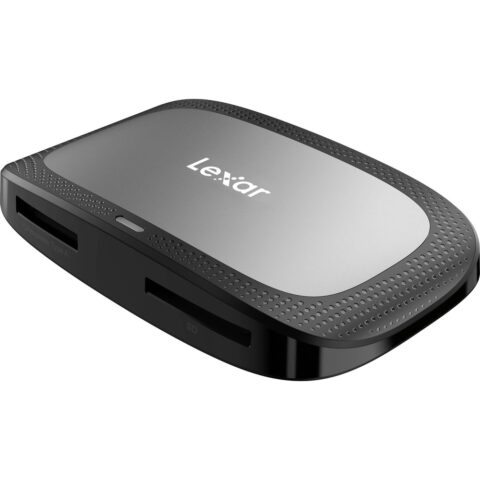
- Mixed CFexpress Type A and SD (a7 IV, FX30): a dual-slot reader handles both cards without swapping adaptors.
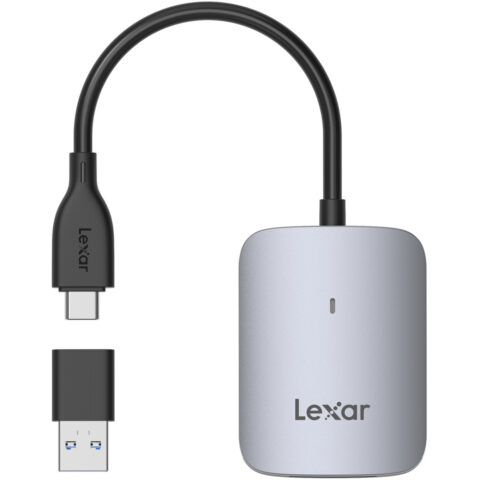
- CFexpress Type A only: a single-slot Type A reader is compact for travel. Type B readers do not fit Type A cards.
Card readers for Sony shooters
-
 Lexar
LexarLexar Professional Dual-Slot USB 3.2 Gen 2 Type-C Card Reader (CFexpress Type A, SD)
$81.95 incl. GST Ships in 1-2 business daysAdd to cart -
 Lexar
LexarLexar CFexpress Type A USB-C Reader
$38.95 incl. GST Ships in 1-2 business daysAdd to cart -
 Sandisk
SanDisk Extreme Pro SD Card USB Type-C Reader
$42.95 incl. GST Ships in 3-4 weeksAdd to cart
Format cards in the camera rather than on a computer, keep full and empty cards in separate compartments of a case, and copy footage to two places before reformatting. If you are still deciding between formats, our guide to CFexpress Type A vs Type B vs SD explains the trade-offs in more depth, and our Sony camera cage guide covers rigging the same bodies.
Questions
Is a V30 card enough for the Sony a7 IV?
Yes, for most shooting. Sony lists U3/V30 SD cards for XAVC HS 4K and XAVC S 4K at up to 200 Mbps and for XAVC S HD. You only need V90 SD or a VPG200 CFexpress Type A card for XAVC S-I All-Intra, and V60 or better for 4K slow and quick motion.
Do I need a V90 SD card for the a7 IV?
Only if you record XAVC S-I 4K or XAVC S-I HD, or you want some high-rate S&Q modes on SD. For XAVC S-I 4K slow motion at 60 or 50 fps with a 24p, 25p or 30p record rate, Sony requires a CFexpress Type A card rated VPG200 or higher, not SD.
What SD card do I need for the FX30?
For 4K at 200 Mbps, Sony says a U3/V30 card works. For the 280 Mbps modes, use SDXC V60 or a VPG200 CFexpress Type A card. All-Intra needs V90 or VPG200 CFexpress, and All-Intra slow motion needs CFexpress Type A. The FX30 cannot use CFexpress Type B.
What SD card is right for the Sony ZV-E10?
A U3 SDXC card covers every video mode the original ZV-E10 offers, including XAVC S 4K at 100 Mbps. Settings at 60 Mbps or lower work on Class 10 or U1 cards. Sony lists nothing faster than U3, so a V60 or V90 card will not add recording options.
Can the a6700 use CFexpress Type A cards?
No. Sony's help guide says the a6700 supports SD cards only, with UHS-II compatibility. Its most demanding modes, XAVC S-I 4K at 600 Mbps and S&Q with proxies off, are listed as needing SDXC V90, so a V90 card is the top tier for this body.
Sources
Specifications and background were checked against these pages when the guide was last updated. Always confirm compatibility on the product page before ordering.
- helpguide.sony.net/ilc/2110/v1/en/contents/TP1000640149.html
- helpguide.sony.net/ilc/2220/v1/en/contents/TP1000867593.html
- helpguide.sony.net/ilc/2320/v1/en/contents/0002H_usable_memory_card.html
- helpguide.sony.net/ilc/2070/v1/en/contents/TP0001140402.html
- sdcard.org/developers/sd-standard-overview/speed-class
- resources.lexar.com/download/895/gl/17384/lexar-product-portfolio-2026q3.pdf
- documents.sandisk.com/content/dam/asset-library/en_us/assets/public/sandisk/product/memory-cards/extreme-pro-uhs-i-sd/data-sheet-extreme-pro-uhs-i-sd-200mbps.pdf