Buying guide
CFexpress Type A vs Type B vs SD Cards Explained
Card sizes, PCIe lanes, VPG and V ratings, which cameras use which format, the readers you need, and how to decide whether CFexpress is worth the extra cost.
Short answer CFexpress Type A and Type B are not interchangeable: Type A is a small single-lane card used mainly by recent Sony bodies, while Type B is a larger two-lane card used by Canon, Nikon, Fujifilm and others, with roughly double the top interface speed. SD is slower, costs less at V30 and V60 level, and fits the most cameras. Your camera's slot decides the format; the recording mode decides the speed rating.
The CFexpress Type A vs Type B question usually comes up when someone upgrades bodies and finds their old cards will not fit. This guide explains the physical and speed differences, which cameras use which card, how the VPG and V ratings work, what you need in a reader, and when CFexpress is worth paying for. All the cards and readers mentioned are in our memory cards and accessories range.
CFexpress Type A vs Type B vs SD at a glance
CFexpress is a standard from the CompactFlash Association built on PCIe and NVMe, the same technologies used by fast computer SSDs. It comes in three sizes. Type C, the largest, exists on paper, but the association states there are currently no cameras or cards that use it.
| Format | Size (mm) | Lanes | Top interface speed | Sustained rating |
|---|---|---|---|---|
| SD (UHS-I) | Full-size SD | n/a | 104 MB/s bus | V30 maximum |
| SD (UHS-II) | Full-size SD | n/a | 312 MB/s bus | V30, V60 or V90 |
| CFexpress Type A | 20 x 28 x 2.8 | 1 PCIe lane | About 1,000 MB/s (2.0), 2,000 MB/s (4.0) | VPG200 and up |
| CFexpress Type B | 29.8 x 38.5 x 3.8 | 2 PCIe lanes | About 2,000 MB/s (2.0), 4,000 MB/s (4.0) | VPG200 and up |
Sizes and interface speeds are as published by Lexar. The speeds are theoretical ceilings for the connection. Real cards sit below them. Lexar, for example, lists its Professional GOLD CFexpress 4.0 Type A card at up to 1,800 MB/s read and its GOLD Type B card at up to 3,600 MB/s read, based on its own testing.
CFexpress 2.0 and 4.0
The CompactFlash Association says CFexpress 4.0 adopts PCIe Gen 4 for double the theoretical throughput of 2.0, keeps exactly the same form factors, and stays backward compatible. Lexar adds that a 4.0 card in a 2.0 camera runs at 2.0 speeds. Always check the camera maker's approved media list, because support for particular capacities and modes can depend on firmware.
SD card speed classes explained
SD cards carry more labels than any other format, and only some of them matter for video.
- Video Speed Class: V30, V60 and V90 mean a minimum sustained write speed of 30, 60 and 90 MB/s. This is the number camera makers quote for recording modes.
- UHS Speed Class: U1 is 10 MB/s and U3 is 30 MB/s minimum write. Older camera manuals often quote U3.
- Class 10: the oldest scale, a 10 MB/s floor, still quoted for low bit rate modes.
UHS-I vs UHS-II
UHS-I and UHS-II describe the connection. UHS-II cards have a second row of contacts and a 312 MB/s bus against 104 MB/s for UHS-I. The SD Association applies V60 and V90 to UHS-II and UHS-III products, while V30 covers UHS-I. The SD Association says the first row of pins on a UHS-II card keeps it compatible with conventional hosts, so it works in a UHS-I camera, just without UHS-II speed. Buying UHS-II for a UHS-I body mainly helps offloading through a UHS-II reader.
What the VPG rating means for CFexpress
VPG is the CompactFlash Association's sustained-write certification, tested and certified by the association rather than self-declared by the card maker. VPG200 means at least 200 MB/s of continuous writing and VPG400 means 400 MB/s. A newer profile adds VPG800 and VPG1600 for CFexpress 4.0 cards. It plays the same role for CFexpress that V90 plays for SD: it is the figure camera makers quote for their heaviest modes. Sony, for example, lists CFexpress Type A "VPG200 or higher" for All-Intra recording on the a7 IV and FX30.
Peak speeds printed on the label mostly tell you how fast footage will come off the card. When comparing cards for recording, look for the VPG number first, then capacity. Lexar rates its Professional SILVER CFexpress 4.0 Type A card at VPG200 and its GOLD Type A card at VPG400.
Which cameras use which card
What cameras use CFexpress Type A
Sony is the main user. Lexar lists the a1, a7S III, a7R V, a7 IV, FX3 and FX6 as Type A cameras, and Sony's help guides confirm Type A and SD support on the a7 IV and FX30, with two slots on each. Sony's a7 IV and FX30 help guides both state that CFexpress Type B cards cannot be used. If you shoot a Sony a7 IV or FX30, you can start on SD and add Type A cards later, without changing anything else.
Cameras that use CFexpress Type B
Lexar lists Canon, Nikon, Panasonic, Fujifilm, RED and DJI cameras among Type B users. As one example, Fujifilm's specifications for the X-H2 and X-H2S list both CFexpress Type B and SD cards (UHS-I and UHS-II), and say movies should go to a CFexpress Type B card or an SD card of U3 or higher. A one-of-each layout lets you record to the fast card and back up to the cheaper one, or use SD for stills and Type B for high bit rate video.
SD-only cameras
Many bodies still use SD alone. Sony's a6700, for example, supports SD cards only, with UHS-II compatibility, and lists V90 for its most demanding modes. If your camera has no CFexpress slot, spend the budget on the right V rating and capacity instead. Our guide to memory cards for Sony cameras maps each Sony mode to the card it needs.
Is CFexpress worth it? Cost trade-offs
CFexpress costs more per gigabyte than a V30 SD card, often by a wide margin. Whether it earns that depends on three questions.
- Does your camera require it for a mode you use? Some modes have no SD option. On the a7 IV, All-Intra 4K slow motion at 60 or 50 fps is listed for CFexpress Type A only. If you need that mode, the decision is made.
- How much footage do you offload? A card that reads several times faster turns a long copy into a short one. For wedding, event and documentary shooters moving hundreds of gigabytes a week, that time saving adds up.
- Would a V90 SD card do the same job? At the time of writing, V90 SD cards in our own range cost more per gigabyte than our CFexpress Type A cards. If your camera takes both, compare them at the capacity you want before assuming SD is the budget option.
For long-GOP 4K on a hybrid camera, a V30 or V60 SD card is usually the sensible spend. Move to CFexpress when a mode requires it, when offload time is costing you work, or when a V90 SD card would cost as much or more.
CFexpress Type A cards
-
 Lexar
LexarLexar Professional SILVER CFexpress 4.0 Type A Card (256GB)
$309.95 incl. GST Ships in 1-2 business daysAdd to cart -
 Lexar
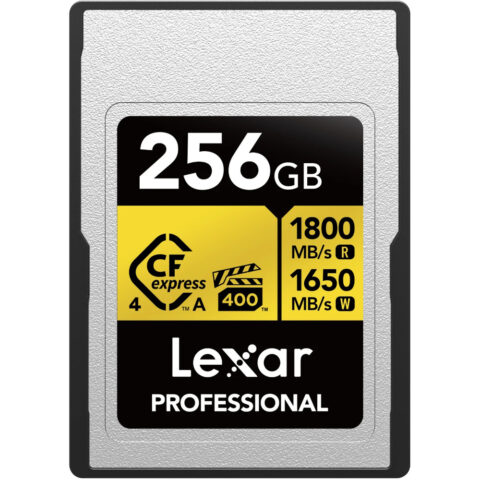
LexarLexar 256GB Professional CFexpress 4.0 Type A GOLD Card
$541.95 incl. GST On backorder, dispatch date to be confirmedAdd to cart -
 ProGrade Digital
ProGrade Digital 240GB CFexpress 2.0 Type A Gold Memory Card
$453.95 incl. GST On backorder, dispatch date to be confirmedAdd to cart
CFexpress Type B cards
-
 Sandisk
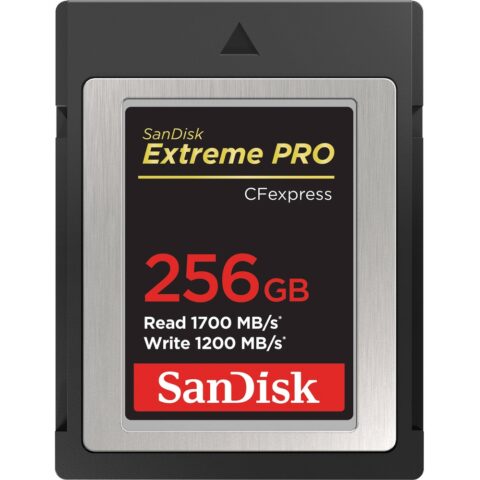
SanDisk 256GB Extreme PRO CFexpress Card Type B
$531.95 incl. GST Ships in 1-2 business daysAdd to cart -
 Lexar
LexarLexar 128GB Professional CFexpress 4.0 Type B Card DIAMOND Series
$374.95 incl. GST Ships in 1-2 business daysAdd to cart -
 ProGrade Digital
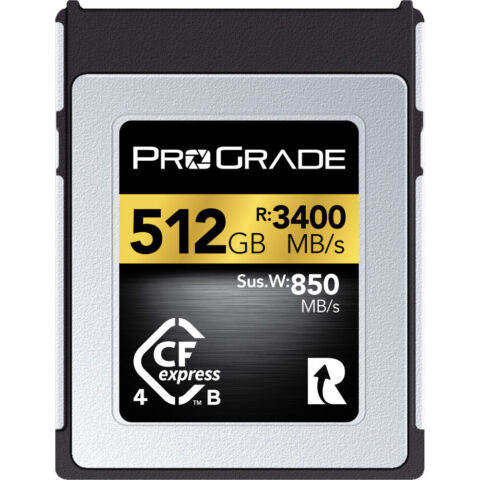
ProGrade Digital 512GB CFexpress 4.0 Type B Gold Memory Card
$924.95 incl. GST On backorder, dispatch date to be confirmedAdd to cart -
 Lexar
LexarLexar 1TB Professional CFexpress 4.0 Type B SILVER Card
$599.95 incl. GST Ships in 8-10 weeksAdd to cart
Card readers for each format
A reader has to match the card's physical type, and its connection sets the ceiling on transfer speed. Type A and Type B cards need their own slots. Points to check:
- Card type: a Type B reader will not accept Type A cards, and the reverse. Dual-slot readers pair one CFexpress type with SD.
- Connection: the USB standard in the product name, such as USB 3.2 Gen 2 or USB 4.0, limits the speed. Check that your computer's port supports it too.
- Workflow: if your camera pairs CFexpress with SD, a dual-slot reader saves carrying two devices.
Readers for Type A, Type B and SD
-
 Lexar
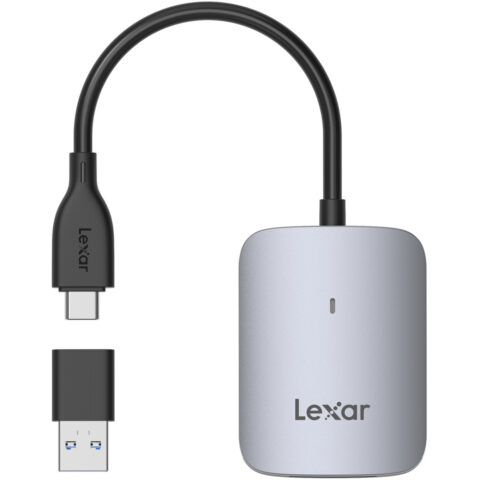
LexarLexar CFexpress Type A USB-C Reader
$38.95 incl. GST Ships in 1-2 business daysAdd to cart -
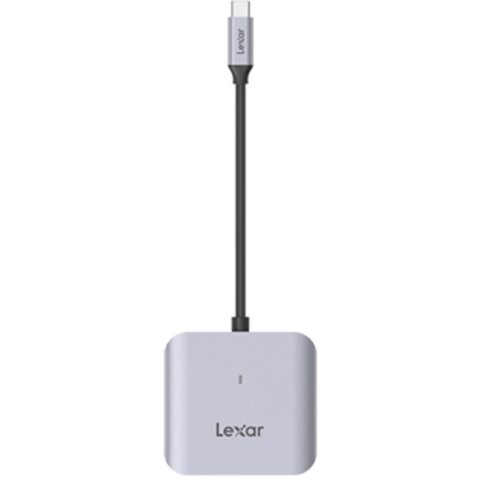 Lexar
LexarLexar CFexpress Type B USB-C Card Reader
$35.95 incl. GST Ships in 1-2 business daysAdd to cart -
 ProGrade Digital
ProGrade Digital CFexpress Type A & UHS-II SDXC Dual-Slot USB 3.2 Gen 2 Card Reader
$143.95 incl. GST On backorder, dispatch date to be confirmedAdd to cart -
 ProGrade Digital
ProGrade Digital CFexpress Type B & UHS-II SDXC Dual-Slot USB 3.2 Gen 2 Card Reader
$141.95 incl. GST On backorder, dispatch date to be confirmedAdd to cart
Browse the full ranges in CFexpress cards, SD cards and card readers, or see the ProGrade Digital and Lexar brand pages.
Questions
Can I use a CFexpress Type B card in a Type A slot?
No. Type A measures 20 x 28 mm and Type B measures 29.8 x 38.5 mm, and they use different numbers of PCIe lanes, so neither fits the other's slot. Sony's a7 IV help guide states plainly that CFexpress Type B cards cannot be used in that camera.
Is CFexpress Type B faster than Type A?
At the interface level, yes. Type B uses two PCIe lanes and Type A uses one, so Type B has roughly double the theoretical ceiling in each generation: about 2,000 against 1,000 MB/s for CFexpress 2.0, and 4,000 against 2,000 MB/s for 4.0. Recording needs depend on the camera, not the ceiling.
Do CFexpress 4.0 cards work in CFexpress 2.0 cameras?
Generally yes, provided the card type matches. The CompactFlash Association kept the same form factors for 4.0 and describes it as backward compatible, so a 4.0 Type A card fits a 2.0 Type A slot and, per Lexar, runs at 2.0 speed. Check your camera maker's compatibility list, as support can vary by firmware.
Does a UHS-II SD card work in a UHS-I camera?
Yes. The SD Association says the first row of pins on UHS-II cards keeps them compatible with conventional hosts, so the card works but without UHS-II speed. The extra cost only pays off when offloading through a UHS-II reader, or if you later move to a UHS-II body. For recording, the V rating matters more than the bus type.
Sources
Specifications and background were checked against these pages when the guide was last updated. Always confirm compatibility on the product page before ordering.
- compactflash.org/card-types
- compactflash.org/compactflash-association-announces-cfexpress-4-0-logical-and-physical-specifications
- compactflash.org/wp-content/uploads/2025/02/2025-02-18_VPG_Profile_5_White_Paper.pdf
- americas.lexar.com/cfexpress-card-guide
- sdcard.org/developers/sd-standard-overview/speed-class
- sdcard.org/developers/sd-standard-overview/bus-speed-default-speed-high-speed-uhs-sd-express
- sdcard.org/developers/sd-standard-overview
- helpguide.sony.net/ilc/2110/v1/en/contents/TP1000640149.html
- fujifilm-x.com/en-us/products/cameras/x-h2s/specifications
- resources.lexar.com/download/895/gl/17384/lexar-product-portfolio-2026q3.pdf