Audio & Video Conferencing
8 products from 6 brands, including OBSBOT, AVMATRIX, BenQ. Prices from $14.95 to $1,346.95, including GST. 1 ship within 1-2 business days.
Audio & Video Conferencing covers cameras, video bars, adapters and practical accessories for online meetings, hybrid work, teaching and live production. Choose from OBSBOT, Elgato Systems, Logitech and BenQ for laptop-based setups, meeting rooms and streaming workflows. The range suits home offices, small teams and installations that need reliable connections between cameras, displays and computers.
Showing all 8 results
-
 Elgato Systems
Elgato Key Light
$337.95 incl. GST On backorder, dispatch date to be confirmedAdd to cart -
 OBSBOT
OBSBOT UVC to HDMI Adapter
$240.95 incl. GST Ships in 1-2 business daysAdd to cart -
 OBSBOT
OBSBOT Storage Case for OBSBOT Tiny Series PTZ Camera
$43.95 incl. GST Ships in 2-3 weeksAdd to cart -
 Logitech
Logitech TV Mount for MeetUp 4K ConferenceCam
$172.95 incl. GST Ships in 3-4 weeksAdd to cart -
 Eartec
Eartec UltraLite Off-Ear Pad
$14.95 incl. GST Ships in 4-6 weeksAdd to cart -
 OBSBOT
OBSBOT UVC to NDI Adapter
$366.95 incl. GST Ships in 2-3 weeksAdd to cart -
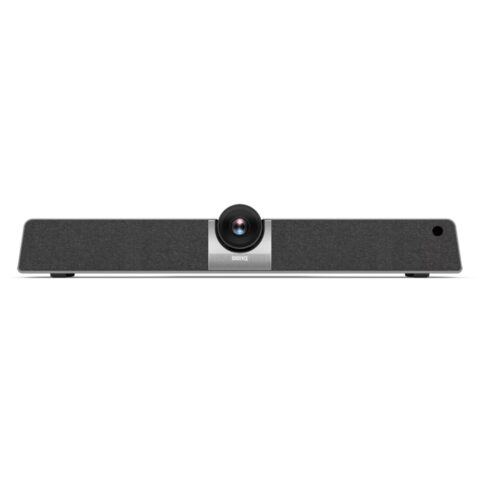 BenQ
BenQBenQ VC01A 4K UHD Smart Video Bar
$1,346.95 incl. GST Ships in 1-2 weeksAdd to cart -
 AVMATRIX
AVMATRIX Eagle T10 10x Zoom ToF Autofocus Live Stream Camera
$580.95 incl. GST Ships in 2-3 weeksAdd to cart
Related categories
Audio & Video Conferencing brands
About the Audio & Video Conferencing range
Start with the room and the way you will connect. A compact room may suit an integrated video bar, while a larger table can need a camera with suitable field of view, zoom and autofocus, plus separate audio equipment. Compare resolution, frame rate, microphone coverage, speaker output and mounting options. USB is convenient for computer-based meetings. HDMI suits displays and AV equipment. Network features such as NDI can support production workflows. Check cable length, power requirements and whether the camera can frame everyone clearly from its mounting position.
Check your conferencing platform, computer ports and display before ordering. A USB camera may be recognised as a standard webcam, but platform certification and available features can vary. Do not assume an HDMI camera will connect directly to a laptop without the correct capture or conversion device. UVC to HDMI and UVC to NDI adapters serve different workflows. Confirm the required input and output standards, resolution and refresh rate. This range is organised into Audio & Video Conferencing products and Conferencing Accessories, including mounts, cases, pads, lights and signal adapters.
Audio & Video Conferencing questions
What should I look for in a conference camera for a small meeting room?
Check the camera's field of view, autofocus, resolution and mounting position. A wide view can include participants around a compact table, while zoom helps frame people farther away. An integrated video bar may also provide microphones and speakers, reducing the number of separate devices to connect.
Will a USB conference camera work with my laptop and meeting software?
Many USB cameras present themselves as standard webcam devices, but available features depend on the computer, operating system and conferencing software. Check the product specifications for USB type, required power, supported resolution and platform compatibility. You may also need the correct cable or an adapter for your laptop.
What is the difference between HDMI and NDI for conferencing equipment?
HDMI sends video directly to compatible displays, switchers or capture devices. NDI sends video over a network for supported production and AV systems. They are not interchangeable. Choose an adapter or camera output that matches the equipment already in your workflow, including resolution and network requirements.