USB Flash Drives
9 products from 4 brands, including Sandisk, Lexar, Samsung. Prices from $32.95 to $114.95, including GST. 2 ship within 1-2 business days.
USB flash drives provide portable storage for documents, photos, videos and file transfers between compatible devices. Choose from compact USB-A models, dual USB-C and USB-A drives, and capacities suited to everyday files or larger media libraries. This range includes Sandisk, Samsung, Lexar and Transcend options for home, study, office and travel use.
Showing all 9 results
-
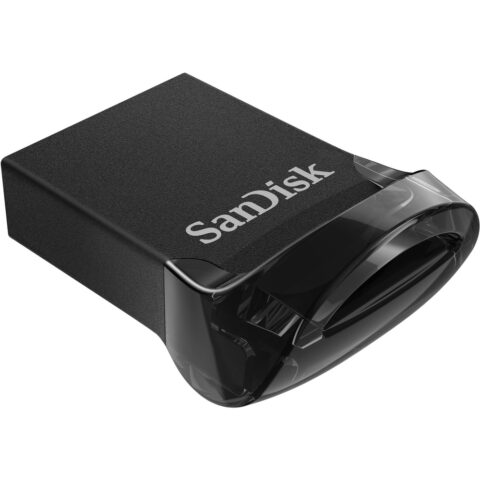 Sandisk
SanDisk 32GB Ultra Fit USB 3.1 Type-A Flash Drive
$32.95 incl. GST Ships in 3-4 weeksAdd to cart -
 Sandisk
SanDisk 64GB Ultra Fit USB 3.1 Type-A Flash Drive
$40.95 incl. GST Ships in 3-4 weeksAdd to cart -
 Sandisk
SanDisk 64GB Ultra Dual Drive Luxe USB 3.1 Flash Drive (USB Type-C / Type-A)
$46.95 incl. GST Ships in 3-4 weeksAdd to cart -
 Sandisk
SanDisk 256GB Ultra Luxe USB 3.1 Gen 1 Type-A Flash Drive
$114.95 incl. GST Ships in 3-4 weeksAdd to cart -
 Sandisk
SanDisk 128GB Ultra Dual Drive Luxe USB 3.1 Flash Drive (USB Type-C / Type-A)
$63.95 incl. GST Ships in 1-2 business daysAdd to cart -
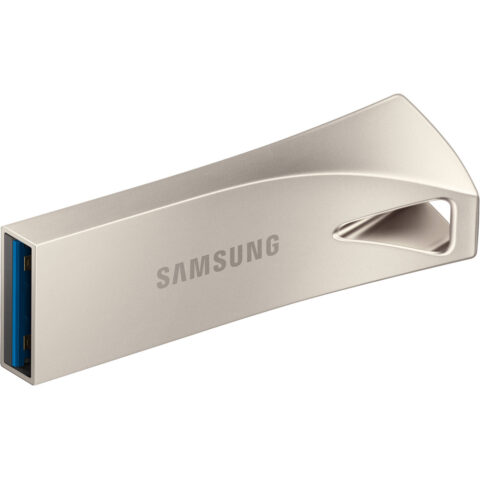 Samsung
Samsung 128GB USB 3.1 Gen 1 BAR Plus Flash Drive (Silver)
$86.95 incl. GST Ships in 1-2 weeksAdd to cart -
 Lexar
LexarLexar JumpDrive 128GB M400 USB 3.0 Flash Drive
$32.95 incl. GST Ships in 1-2 business daysAdd to cart -
 Transcend
Transcend 16GB JetFlash 700 USB 3.0 Flash Drive
$35.95 incl. GST Ships in 1-2 weeksAdd to cart -
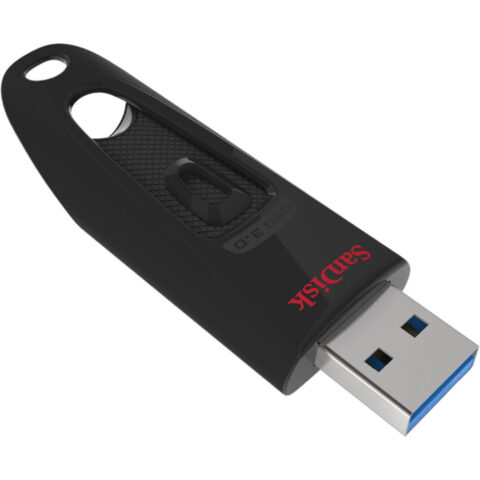 Sandisk
SanDisk 256GB Ultra USB 3.0 Flash Drive
$83.95 incl. GST Ships in 2-3 business daysAdd to cart
Related categories
USB Flash Drives brands
About the USB Flash Drives range
Choose capacity, connector and USB standard first. Smaller drives suit documents and occasional transfers, while 128GB or 256GB models provide more room for photos, video and backups. USB 3.0 and USB 3.1 Gen 1 support transfer rates up to 5Gbps, subject to the drive, device and files being used. Read speed figures do not necessarily describe write speed, so check the product details if you regularly copy large files. Compact drives suit laptops and car media systems, while metal-bodied models may be preferable when the drive will be carried frequently.
Check the port on every device before ordering. USB Type-A is the traditional rectangular connector used by many computers, televisions and other equipment. USB Type-C is smaller and reversible, and is common on newer laptops, tablets and phones. Dual drives combine Type-A and Type-C for transfers between older and newer devices. A USB 3.x drive can connect to a USB 2.0 port, but it will operate at the slower port's speed. Confirm operating-system, phone or tablet support where applicable, and remember that formatted capacity is lower than the advertised figure.
USB Flash Drives questions
What size USB flash drive do I need?
Capacity depends on the files you plan to store. A smaller drive is suitable for documents and occasional transfers. Choose 64GB or 128GB for larger photo collections and regular work files, or 256GB for more extensive media. Leave free space for future files and avoid treating a flash drive as your only backup.
What is the difference between USB-A and USB-C flash drives?
USB-A is the larger rectangular connector found on many computers and other devices. USB-C is smaller and reversible, and is increasingly common on laptops, tablets and phones. Dual USB-A and USB-C drives provide both connectors, but the host device must support USB storage and the correct adapter or connector.
Are USB 3.0 and USB 3.1 flash drives compatible with USB 2.0?
Generally, yes. USB 3.0 and USB 3.1 Gen 1 drives use the same 5Gbps class of interface and can connect to compatible USB 2.0 ports. The connection will use the slower USB 2.0 speed. Actual transfer performance also depends on the flash drive, host device, file sizes and operating system.