Printers
2 products from 2 brands, including Evolis, Polaroid. Prices from $192.95 to $3,150.95, including GST.
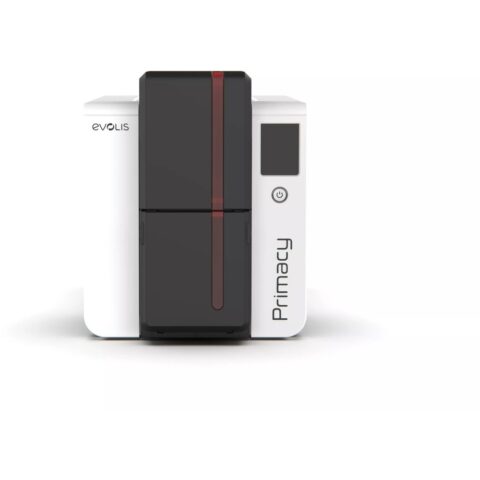
Printers covers two quite different machines. The Polaroid Hi-Print Generation 2 is a compact photo printer that makes small prints from a smartphone, suited to events, scrapbooks and home use. The Evolis Primacy 2 Simplex is a card printer for plastic ID, membership and access cards printed on one side, suited to offices, schools, clubs and event organisers.
Showing all 2 results
-
 Polaroid
Polaroid Hi-Print Generation 2 Everything Box (Black)
$192.95 incl. GST Ships in 3-5 business daysAdd to cart -
 Evolis
Evolis Primacy 2 Simplex Printer Production Pack
$3,150.95 incl. GST Ships in 1-2 weeksAdd to cart
Related categories
Printers brands
About the Printers range
For a photo printer, check the print size, the printing method and the cost of consumables per print, since paper and cartridge packs are an ongoing expense. Dye-sublimation printers transfer dye from a ribbon with heat, giving continuous-tone prints without ink nozzles to clog. Look at how the printer connects to your phone and what editing the app allows. For card printers, confirm single or double-sided printing, the card thickness it accepts, whether you need magnetic stripe or smart card encoding, and the ribbon type for colour or monochrome work.
The common mistake with both is ordering the wrong consumables. Photo printers only accept the paper packs made for that model, and card printers need ribbons and card stock matched to the model and print type. For ID cards, plan the card design software and data source before buying, as the printer on its own does not create the layout. A single-sided printer suits photo IDs and membership cards; choose a duplex model if you need details or barcodes on the back. Keep card stock dust free to avoid print spots.
Printers questions
What is a simplex card printer?
A simplex card printer prints on one side of the card only. It suits photo ID badges, membership cards and access cards where the back is blank or pre-printed. If you need printing on both sides, such as a barcode or terms on the back, choose a duplex model.
Does a phone photo printer need ink?
Many compact photo printers use dye-sublimation, where colour comes from a ribbon or cartridge instead of liquid ink, and each pack is matched to a set number of prints. Check the product page for the paper and cartridge packs your printer uses.
What do I need to start printing ID cards?
You need the card printer, a compatible ribbon, blank cards of the correct size and thickness, and card design software. If cards need magnetic stripe or chip encoding, the printer must include an encoder for that technology. Check what each pack includes before ordering.