Printer Accessories
6 products from 2 brands, including Evolis, Datacolor. Prices from $35.95 to $629.95, including GST.
Printer Accessories covers consumables and tools that help you print, maintain and manage compatible printers. This range suits homes, offices, schools and organisations producing plastic ID cards, badges or colour-managed prints. Shop Evolis card printer ribbons and cleaning supplies, plus Datacolor tools for checking colour accuracy before printing.
Showing all 6 results
-
 Evolis
Evolis Badgy Consumable Pack for Badgy100 & Badgy200 Card Printers (100 Prints)
$104.95 incl. GST Ships in 1-2 weeksAdd to cart -
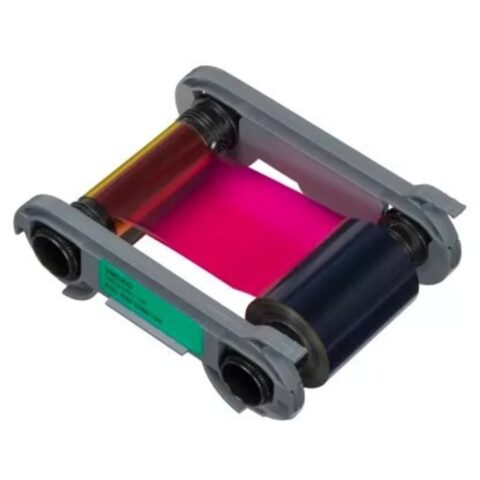 Evolis
Evolis Primacy 2 YMCKO Colour Ribbon (300 Prints)
$230.95 incl. GST Ships in 1-2 weeksAdd to cart -
 Evolis
Evolis Primacy 2 YMCKO Colour Ribbon (200 Prints)
$172.95 incl. GST Ships in 1-2 weeksAdd to cart -
 Evolis
Evolis Primacy 2 Black Ribbon (2000 Prints)
$73.95 incl. GST Ships in 1-2 weeksAdd to cart -
 Evolis
Evolis Badgy ALC008 Complete Cleaning Kit
$35.95 incl. GST Ships in 1-2 weeksAdd to cart -
 Datacolor
Datacolor SpyderPRINT
$629.95 incl. GST Ships in 8-10 weeksAdd to cart
Related categories
Printer Accessories brands
About the Printer Accessories range
Choose the accessory by printer model, print method and intended output. For card printers, check whether you need a YMCKO colour ribbon for photo cards and colour graphics, or a black monochrome ribbon for text, barcodes and simple logos. Compare the stated print yield, such as 100, 200, 300 or 2,000 prints, against your expected volume. Cleaning kits help maintain the print path and print head. For colour management, check that the calibration tool supports your monitor and software workflow.
Compatibility is the main sizing trap. Card printer ribbons are not universal, even when they look similar, so match the exact printer family and generation before ordering. Primacy 2 ribbons are listed separately from Badgy consumables, while a Badgy pack can combine cards and a ribbon. Check whether the product is colour or black, the yield, and whether cards are included. The range is organised into Card Printer Accessories and Printer Accessories to make these differences easier to compare.
Printer Accessories questions
Which ribbon do I need for my Evolis card printer?
Check the exact model first, then select the ribbon type and yield listed for that printer. This range includes Evolis Badgy consumables and Primacy 2 YMCKO colour and black ribbons. Do not assume a ribbon for one Evolis family will fit another. Confirm the product details before ordering.
What is the difference between a YMCKO ribbon and a black ribbon?
A YMCKO ribbon is used for colour card printing and includes panels for yellow, magenta, cyan, black and overlay. A black ribbon is intended for monochrome printing, such as names, numbers, barcodes or basic logos. Choose based on the card design and required print volume.
How often should I use a card printer cleaning kit?
Use the cleaning procedure recommended for your printer model and follow its instructions. Cleaning cards and pens remove dust and residue from internal surfaces, helping maintain print quality. Check that the kit is intended for your printer, and avoid substituting unrelated cleaning products.